Quantcast
Channel: Planet Python
Viewing all 23953 articles
Browse latest View live

Fabio Zadrozny: PyDev debugger: Going from async to sync to async... oh, wait.

$
0
0

 In Python asyncio land it's always a bit of a hassle when you have existing code which runs in sync mode which needs to be retrofitted to run in async, but it's usually doable -- in many cases, slapping async on the top of a bunch of definitions and adding the needed await statementswhere needed does the trick -- even though it's not always that easy.

Now, unfortunately a debugger has no such option. You see, a debugger needs to work on the boundaries of callbacks which are called from python (i.e.: it will usually do a busy wait from a line event from a callback registered in sys.settrace which is always called as a sync call).

Still, users still want to do some evaluation in the breakpoint context which would await... What now? Classic questions of how to go from async to sync say this is not possible.

This happens because to run something in asynchronous fashion an asyncio loop must be used to run it, but alas, the current loop is paused in the breakpoint and due to how asyncio is implemented in Python the asyncio loop is not reentrant, so, we can't just ask the loop to keep on processing at a certain point -- note that not all loops are equal, so, this is mostly an implementation detail on how CPython has implemented it, but unless we want to monkey-patch many things to make it reentrant, this would be a no-no... also, even if possible, it's not possible in asyncio to force a given coroutine to execute, rather we schedule it and asyncio decides when it'll run afterwards).

My initial naive attempt was just creating a new event loop, but again, CPython gets in the way because 2 event loops can't even coexist in the same thread. Then I thought about recreating the asyncio loop and got a bit further (up to being able to evaluate an asyncio.sleep coroutine), but after checking the asyncio AbstractEventLoop it became clear that the API is just too big to reimplement safely (it's not just about implementing the loop, it's also about implementing network I/O such as getnameinfo, create_connection, etc).

In the end the solution implemented for the debugger is that to support await constructs for evaluation, a new thread is created with a new event loop and that event loop in that new thread will execute the coroutine (with the context of the paused frame passed to that thread for the evaluation).

This is not perfect as there are some cons, for instance, evaluating the code in a thread can mean that some evaluations may not work because some frameworks such as qt consider the UI thread as special and won't work properly, checks for the current thread won't match the thread paused and probably a bunch of other things, but I guess it's a reasonable tradeoff vs not having it at all as it should work in the majority of cases.

Keep an eye open for the next release as it'll be possible to await coroutines in the debugger evaluation and watches ;)

p.s.: For VSCode users this will also be available in debugpy.


Codementor: #01 | Machine Learning with the Linear Regression

$
0
0
Dive into the essence of Machine Learning by developing several Regression models with a practical use case in Python to predict accidents in the USA.

PyCharm: The Second Release Candidate for PyCharm 2022.2.1 Is Available!

$
0
0

This is a new update for the upcoming minor bug-fix release for 2022.2. Last week, in the first release candidate for 2022.2.1, we delivered some critical fixes to use the new functionality of PyCharm 2022.2 without having issues with remote interpreters.

If you encounter an issue in PyCharm 2022.2, please reach out to our support team. This will help us quickly investigate the major issues that are affecting your daily work and solve them.

You can get the new build from our page, via the free Toolbox App, or by using snaps for Ubuntu. 

This week we’re delivering a second release candidate for PyCharm 2022.2.1 with the following bug fixes:

  • Docker: Docker container settings for Docker-based interpreter are now applied to the run.[PY-53116], [PY-53638]
  • Docker Compose: running Django with a Docker compose interpreter doesn’t lead to an HTTP error. [PY-55394]
  • The new UI is enabled for setting up an interpreter via the Show all popup menu in the Python Interpreter popup window. [PY-53057]

We’re working on fixes for the following recent regressions with local and remote interpreters – stay tuned:

  • Custom interpreter paths aren’t supported in the remote interpreters. [PY-52925]
  • Django: Using the Docker-compose interpreter leads to an error when trying to open the manage.py console. [PY-52610]
  • Docker: An exposed port doesn’t work while debugging Docker. [PY-55294]
  • Docker Compose: PyCharm continues the interpreter setup process even if Docker introspection fails during the process. [PY-55392]
  • SSH: Setting up an SSH interpreter leads to infinite reload of the popup window for Jupyter server settings. [PY-55451]
  • Django: The “Run browser” feature that enables running the application in the default browser doesn’t work. [PY-55462]

If you encounter any bugs or have feedback to share, please submit it to our issue tracker, via Twitter, or in the comments section of this blog post.

ABlog for Sphinx: ABlog v0.10.30 released

Hynek Schlawack: pip-tools Supports pyproject.toml

$
0
0

pip-tools is ready for modern packaging.

Zato Blog: Understanding API rate-limiting techniques

$
0
0

Enabling rate-limiting in Zato means that access to Zato-based APIs can be throttled per endpoint, user or service - including options to make limits apply to specific IP addresses only - and if limits are exceeded within a selected period of time, the invocation will fail. Let’s check how to use it all.

Where and when limits apply

Rate-limiting aware objects in  Zato

API rate limiting works on several levels and the configuration is always checked in the order below, which follows from the narrowest, most specific parts of the system (endpoints), through users which may apply to multiple endpoints, up to services which in turn may be used by both multiple endpoints and users.

  • First, per-endpoint limits
  • Then, per-user limits
  • Finally, per-service limits

When a request arrives through an endpoint, that endpoint’s rate limiting configuration is checked. If the limit is already reached for the IP address or network of the calling application, the request is rejected.

Next, if there is any user associated with the endpoint, that account’s rate limits are checked in the same manner and, similarly, if they are reached, the request is rejected.

Finally, if the endpoint’s underlying service is configured to do so, it also checks if its invocation limits are not exceeded, rejecting the message accordingly if they are.

Note that the three levels are distinct yet they overlap in what they allow one to achieve.

For instance, it is possible to have the same user credentials be used in multiple endpoints and express ideas such as “Allow this and that user to invoke my APIs 1,000 requests/day but limit each endpoint to at most 5 requests/minute no matter which user”.

Moreover, because limits can be set on services, it is possible to make it even more flexible, e.g. “Let this service be invoked at most 10,000 requests/hour, no matter which user it is, with particular users being able to invoke at most 500 requests/minute, no matter which service, topping it off with per separate limits for REST vs. SOAP vs. JSON-RPC endpoint, depending on what application is invoke the endpoints”. That lets one conveniently express advanced scenarios that often occur in practical situations.

Also, observe that API rate limiting applies to REST, SOAP and JSON-RPC endpoints only, it is not used with other API endpoints, such as AMQP, IBM MQ, SAP, task scheduler or any other technologies. However, per-service limits work no matter which endpoint the service is invoked with and they will work with endpoints such as WebSockets, ZeroMQ or any other.

Lastly, limits pertain to with incoming requests only - any outgoing ones, from Zato to external resources - are not covered by it.

Per-IP restrictions

The architecture is made even more versatile thanks to the fact that for each object - endpoint, user or service - different limits can be configured depending on the caller’s IP address.

This adds yet another dimension and allows to express ideas commonly witnessed in API-based projects, such as:

  • External applications, depending on their IP addresses, can have their own limits
  • Internal users, e.g. employees of the company using VPN, may have hire limits if their addresses are in the 172.x.x.x range
  • For performance testing purposes, access to Zato from a few selected hosts may have no limits at all

IP-based limits work hand in hand are an integral part of the mechanism - they do not rule out per-endpoit, user or service limits. In fact, for each such object, multiple IP-using limits can be set independently, thus allowing for highest degree of flexibility.

Exact or approximate

Rate limits come in two types:

  • Exact
  • Approximate

Exact rate limits are just that, exact - they en that a limit is not exceeded at all, not even by a single request.

Approximate limits may let a very small number of requests to exceed the limit with the benefit being that approximate limits are faster to check than exact ones.

When to use which type depends on a particular project:

  • In some projects, it does not really matter if callers have a limit of 1,000 requests/minute or 1,005 requests/minute because the difference is too tiny to make a business impact. Approximate limits work best in this case.

  • In other projects, there may be requirements that the limit never be exceeded no matter the circumstances. Use exact limits here.

Python code and web-admin

Alright, let’s check how to define the limits in Zato web-admin. We will use the sample service below:

# -*- coding: utf-8 -*-# Zatofrom zato.server.service import Service
classSample(Service):
    name ='api.sample'defhandle(self):
# Return a simple string on response        self.response.payload ='Hello there!\n'

Now, in web-admin, we will configure limits - separately for the service, a new and a new REST API channel (endpoint).

Configuring rate limits for serviceConfiguring rate limits for userConfiguring rate limits for user

Points of interest:

  • Configuration for each type of object is independent - within the same invocation some limits may be exact, some may be approximate
  • There can be multiple configuration entries for each object
  • A unit of time is “m”, “h” or “d”, depending on whether the limit is per minute, hour or day, respectively
  • All limits within the same configuration are checked in the order of their definition which is why the most generic ones should be listed first

Testing it out

Now, all is left is to invoke the service from curl.

As long as limits are not reached, a business response is returned:

$ curl http://my.user:password@localhost:11223/api/sample
Hello there!
$

But if a limit is reached, the caller receives an error message with the 429 HTTP status.

$ curl -v http://my.user:password@localhost:11223/api/sample
*   Trying 127.0.0.1...

...

 HTTP/1.1 429 Too Many Requests
 Server: Zato
 X-Zato-CID: b8053d68612d626d338b02

...

{"zato_env":{"result":"ZATO_ERROR","cid":"b8053d68612d626d338b02eb",
 "details":"Error 429 Too Many Requests"}}
$

Note that the caller never knows what the limit was - that information is saved in Zato server logs along with other details so that API authors can correlate what callers get with the very rate limiting definition that prevented them from accessing the service.

zato.common.rate_limiting.common.RateLimitReached: Max. rate limit of 100/m reached;
from:`10.74.199.53`, network:`*`; last_from:`127.0.0.1;
last_request_time_utc:`2020-11-22T15:30:41.943794;
last_cid:`5f4f1ef65490a23e5c37eda1`; (cid:b8053d68612d626d338b02)

And this is it - we have created a new API rate limiting definition in Zato and tested it out successfully!

Real Python: The Real Python Podcast – Episode #121: Moving NLP Forward With Transformer Models and Attention

$
0
0

What's the big breakthrough for Natural Language Processing (NLP) that has dramatically advanced machine learning into deep learning? What makes these transformer models unique, and what defines "attention?" This week on the show, Jodie Burchell, developer advocate for data science at JetBrains, continues our talk about how machine learning (ML) models understand and generate text.


[ Improve Your Python With 🐍 Python Tricks 💌 – Get a short & sweet Python Trick delivered to your inbox every couple of days. >> Click here to learn more and see examples ]

PyCharm: Webinar: 10 Pro Git Tips in PyCharm

$
0
0

Join us Tuesday, August 23, 2022, 6:00 – 7:00 pm CEST (check other time zones) for our free live webinar, 10 Pro Git Tips in PyCharm.

Save your spot

Have you ever worked on a Git repo in PyCharm and wondered, “Am I doing it right?” JetBrains Developer Advocate Marco Behler has a few pointers for what Git workflows you can use and how to manage everything from PyCharm.

Join him as he guides Paul Everitt through development workflows without screwing up his repository. It will be a joy for all, and the last two tips will come from the PyCharm community – so send your suggestions to our Twitter.

Join us for this live interactive webinar on August 23, 2022, which will feature a Q&A session after the live demo.


Python for Beginners: Read File Line by Line in Python

$
0
0

File operations are crucial during various tasks. In this article, we will discuss how we can read a file line by line in python.

Read File Using the readline() Method

Python provides us with the readline() method to read a file. To read the file, we will first open the file using the open() function in the read mode. The open() function takes the file name as the first input argument and the literal “r” as the second input argument to denote that the file is opened in the read mode. After execution, it returns a file object containing the file.

After getting the file object, we can use the readline() method to read the file. The readline() method, when invoked on a file object, returns the current unread line in the file and moves the iterator to next line in the file. 

To read the file line by line, we will read the each line in the file using the readline() method and print it in a while loop. Once the readline() method reaches the end of the file, it returns an empty string. Hence, in the while loop, we will also check if the content read from the file is an empty string or not,if yes, we will break out from the for loop. 

The python program to read the file using the readline() method is follows.

myFile = open('sample.txt', 'r')
print("The content of the file is:")
while True:
    text = myFile.readline()
    if text == "":
        break
    print(text, end="")
myFile.close()

Output:

The content of the file is:
I am a sample text file.
I was created by Aditya.
You are reading me at Pythonforbeginners.com.

Suggested Article: Upload File to SFTP Server using C# | DotNet Core | SSH.NET

Read File Line by Line in Python Using the readlines() Method

Instead of the readline() method, we can use the readlines() method to read a file in python. The readlines() method, when invoked on a file object, returns a list of strings, where each element in the list is a line from the file. 

After opening the file, we can use the readlines() method to get a list of all the lines in the file. After that, we can use a for loop to print all the lines in the file one by one as follows.

myFile = open('sample.txt', 'r')
print("The content of the file is:")
lines = myFile.readlines()
for text in lines:
    print(text, end="")
myFile.close()

Output:

The content of the file is:
I am a sample text file.
I was created by Aditya.
You are reading me at Pythonforbeginners.com.

Conclusion

In this article, we have discussed two ways to read a file line by line in python. To learn more about programming in python, you can read this article on list comprehension in Python. You might also like this article on dictionary comprehension in python.

The post Read File Line by Line in Python appeared first on PythonForBeginners.com.

John Ludhi/nbshare.io: Pyspark Expr Example

$
0
0

PySpark expr()

expr(str) function takes in and executes a sql-like expression. It returns a pyspark Column data type. This is useful to execute statements that are not available with Column type and functional APIs. Using expr(), we can use the Pyspark column names in the expressions as shown in the examples below.

First we load the important libraries

In [1]:
frompyspark.sqlimportSparkSessionfrompyspark.sql.functionsimport(col,expr)
In [3]:
# initializing spark session instancespark=SparkSession.builder.appName('snippets').getOrCreate()

Then load our initial records

In [4]:
columns=["Name","Salary","Age","Classify"]data=[("Sam",1000,20,0),("Alex",120000,40,0),("Peter",5000,30,0)]

Let us convert our data to rdds. To learn more about Pyspark rdd. check out following link ...
How To Analyze Data Using Pyspark RDD

In [5]:
# converting data to rddsrdd=spark.sparkContext.parallelize(data)
In [6]:
# Then creating a dataframe from our rdd variabledfFromRDD2=spark.createDataFrame(rdd).toDF(*columns)
In [7]:
# visualizing current data before manipulationdfFromRDD2.show()
+-----+------+---+--------+
| Name|Salary|Age|Classify|
+-----+------+---+--------+
|  Sam|  1000| 20|       0|
| Alex|120000| 40|       0|
|Peter|  5000| 30|       0|
+-----+------+---+--------+

1) Here we are changing the "Classify" column upon some condition using the case expression (rather than the built-in pyspark.sql.functions 'when' API which can also be used to achieve the same result):

If Salary less than 5000, it will change column value to 1

If Salary is less than 10000, it will change column value to 2

else, it will change it to 3

In [8]:
# here we update the column "Classify" using the CASE expression. # The conditions are based on the values in the Salary columnmodified_dfFromRDD2=dfFromRDD2.withColumn("Classify",expr("CASE WHEN Salary < 5000 THEN 1 "+"WHEN Salary < 10000 THEN 2 "+"ELSE 3 END"))
In [9]:
# visualizing the modified dataframe modified_dfFromRDD2.show()
+-----+------+---+--------+
| Name|Salary|Age|Classify|
+-----+------+---+--------+
|  Sam|  1000| 20|       1|
| Alex|120000| 40|       3|
|Peter|  5000| 30|       2|
+-----+------+---+--------+

2) We can also give a column alias to the SQL expression

In [45]:
# here we updated the column "Classify", CASE expression conditions based on the values in the Salary columnmodified_dfFromRDD2=dfFromRDD2.select("Name","Salary","Age",expr("CASE WHEN Salary < 5000 THEN 1 "+"WHEN Salary < 10000 THEN 2 "+"ELSE 3 END as Classify"))
In [46]:
# visualizing the modified dataframe by using the 'as' for aliasing the resulting column. # As you can see, it is exactly the same as the previous output. You can also see the column name by removing the 'as Classify'modified_dfFromRDD2.show()
+-----+------+---+--------+
| Name|Salary|Age|Classify|
+-----+------+---+--------+
|  Sam|  1000| 20|       1|
| Alex|120000| 40|       3|
|Peter|  5000| 30|       2|
+-----+------+---+--------+

3) We can also use arithmetic operators to perform operations on columns. Below we add 500 to the salary column and add a new column called New_Salary

In [10]:
modified_dfFromRDD3=dfFromRDD2.withColumn("New_Salary",expr("Salary + 500"))
In [11]:
modified_dfFromRDD3.show()
+-----+------+---+--------+----------+
| Name|Salary|Age|Classify|New_Salary|
+-----+------+---+--------+----------+
|  Sam|  1000| 20|       0|      1500|
| Alex|120000| 40|       0|    120500|
|Peter|  5000| 30|       0|      5500|
+-----+------+---+--------+----------+

We can also use SQL functions with existing column values in expr()

In [12]:
# Here we use the SQL function 'concat' to concatenate the values in two columns i.e. Name and Salary and also a constant string '_'modified_dfFromRDD4=dfFromRDD2.withColumn("Name_Salary",expr("concat(Name, '_', Salary)"))
In [13]:
# visualizing the resulting dataframe modified_dfFromRDD4.show()
+-----+------+---+--------+-----------+
| Name|Salary|Age|Classify|Name_Salary|
+-----+------+---+--------+-----------+
|  Sam|  1000| 20|       0|   Sam_1000|
| Alex|120000| 40|       0|Alex_120000|
|Peter|  5000| 30|       0| Peter_5000|
+-----+------+---+--------+-----------+

In [14]:
spark.stop()

Talk Python to Me: #377: Python Packaging and PyPI in 2022

$
0
0
PyPI has been in the news for a bunch of reasons lately. Many of them good. But also, some with a bit of drama or mixed reactions. On this episode, we have Dustin Ingram, one of the PyPI maintainers and one of the directors of the PSF, here to discuss the whole 2FA story, securing the supply chain, and plenty more related topics. This is another important episode that people deeply committed to the Python space will want to hear.<br/> <br/> <strong>Links from the show</strong><br/> <br/> <div><b>Dustin on Twitter</b>: <a href="https://twitter.com/di_codes" target="_blank" rel="noopener">@di_codes</a><br/> <br/> <b>Hardware key giveaway</b>: <a href="https://pypi.org/security-key-giveaway/" target="_blank" rel="noopener">pypi.org</a><br/> <b>OpenSSF funds PyPI</b>: <a href="https://openssf.org/blog/2022/06/20/openssf-funds-python-and-eclipse-foundations-and-acquires-sos-dev-through-alpha-omega-project/" target="_blank" rel="noopener">openssf.org</a><br/> <b>James Bennet's take</b>: <a href="https://www.b-list.org/weblog/2022/jul/11/pypi/" target="_blank" rel="noopener">b-list.org</a><br/> <b>Atomicwrites (left-pad on PyPI)</b>: <a href="https://old.reddit.com/r/Python/comments/vuh41q/pypi_moves_to_require_2fa_for_critical_projects/" target="_blank" rel="noopener">reddit.com</a><br/> <b>2FA PyPI Dashboard</b>: <a href="https://p.datadoghq.com/sb/7dc8b3250-389f47d638b967dbb8f7edfd4c46acb1" target="_blank" rel="noopener">datadoghq.com</a><br/> <b>github 2FA - all users that contribute code by end of 2023</b>: <a href="https://github.blog/2022-05-04-software-security-starts-with-the-developer-securing-developer-accounts-with-2fa/" target="_blank" rel="noopener">github.blog</a><br/> <b>GPG - not the holy grail</b>: <a href="https://caremad.io/posts/2013/07/packaging-signing-not-holy-grail/" target="_blank" rel="noopener">caremad.io</a><br/> <b>Sigstore for Python</b>: <a href="https://pypi.org/project/sigstore/" target="_blank" rel="noopener">pypi.org</a><br/> <b>pip-audit</b>: <a href="https://pypi.org/project/pip-audit/" target="_blank" rel="noopener">pypi.org</a><br/> <b>PEP 691</b>: <a href="https://peps.python.org/pep-0691/" target="_blank" rel="noopener">peps.python.org</a><br/> <b>PEP 694</b>: <a href="https://peps.python.org/pep-0694/ (in draft)" target="_blank" rel="noopener">peps.python.org</a><br/> <b>Watch this episode on YouTube</b>: <a href="https://www.youtube.com/watch?v=-7zOg1FjTg4" target="_blank" rel="noopener">youtube.com</a><br/> <br/> <b>--- Stay in touch with us ---</b><br/> <b>Subscribe to us on YouTube</b>: <a href="https://talkpython.fm/youtube" target="_blank" rel="noopener">youtube.com</a><br/> <b>Follow Talk Python on Twitter</b>: <a href="https://twitter.com/talkpython" target="_blank" rel="noopener">@talkpython</a><br/> <b>Follow Michael on Twitter</b>: <a href="https://twitter.com/mkennedy" target="_blank" rel="noopener">@mkennedy</a><br/></div><br/> <strong>Sponsors</strong><br/> <a href='https://talkpython.fm/compiler'>RedHat</a><br> <a href='https://talkpython.fm/irl'>IRL Podcast</a><br> <a href='https://talkpython.fm/assemblyai'>AssemblyAI</a><br> <a href='https://talkpython.fm/training'>Talk Python Training</a>

"Paolo Amoroso's Journal": Next Suite8080 features: trim uninitialized data, macro assembler

$
0
0

I decided what to work on next on Suite8080, the suite of Intel 8080 Assembly cross-development tools I'm writing in Python. I'll add two features, the ability for the assembler to trim trailing uninitialized data and a macro assembler script.

Trimming uninitialized data

Consider this 8080 Assembly code, which declares a 1024 bytes uninitialized data area at the end of the program:

# . . .

data:        ds    1024
             end

For this ds directive, the Suite8080 assembler asm80 emits a sequence of 1024 null bytes at the end of the binary program. Similarly, dw emits 16-bit words. The executable file is thus longer and may be slower to load on the host system, typically CP/M.

The Digital Research CP/M assemblers, ASM.COM and MAC.COM, strip such trailing uninitialized data from binaries. After asking for feedback to r/asm, I decided to do the same with asm80. I should be able to implement this optimization by adding just one line of Python, so the feature is a low-hanging fruit.

Macro assembler

asm80 can accept source files from standard input, which makes it possible to combine the assembler with an external macro preprocessor to get a macro assembler. Thanks to its ubiquity, M4 is the clear choice for a preprocessor.

Assuming prog.asm is an 8080 Assembly source file containing M4 macros, this shell pipe can assemble it with asm80:

$ cat prog.asm | m4 | asm80 - -o prog.com

The - option accepts input from standard input and -o sets the file name of the output binary program.

The other Suite8080 feature I'm going to implement is a mac80 helper script in Python to wrap such a shell pipe and make assembling macro files more convenient. In other words, syntactic sugar wrapping asm80 and M4.

The script will use the Python subprocess module to set up the pipe, feed the proprocessed source to the assembler, and not much else.

#Suite8080#Python

Discuss... | Reply by email...

scikit-learn: scikit-learn Sprint in Salta, Argentina

$
0
0

In September of 2022, the SciPy Latin America conference will take place in Salta, Argentina. As part of the event, we are organizing a scikit-learn sprint for the people attending. The main idea is to introduce the participants to the open source world and help them make their first contribution. The sprint event is in-person.

SciPy logo

Schedule

  • September 27, 2022 - Pre-sprint - 10:00 to 12:00 hs (UTC -3)
  • September 28, 2022 - Sprint - 10:00 to 17:00 hs (UTC -3)

Repository

For more information in Spanish about the Sprint and how to prepare for it, check this repository.

Podcast.__init__: Remove Roadblocks And Let Your Developers Ship Faster With Self-Serve Infrastructure

$
0
0
The goal of every software team is to get their code into production without breaking anything. This requires establishing a repeatable process that doesn't introduce unnecessary roadblocks and friction. In this episode Ronak Rahman discusses the challenges that development teams encounter when trying to build and maintain velocity in their work, the role that access to infrastructure plays in that process, and how to build automation and guardrails for everyone to take part in the delivery process.

Summary

The goal of every software team is to get their code into production without breaking anything. This requires establishing a repeatable process that doesn’t introduce unnecessary roadblocks and friction. In this episode Ronak Rahman discusses the challenges that development teams encounter when trying to build and maintain velocity in their work, the role that access to infrastructure plays in that process, and how to build automation and guardrails for everyone to take part in the delivery process.

Announcements

  • Hello and welcome to Podcast.__init__, the podcast about Python’s role in data and science.
  • When you’re ready to launch your next app or want to try a project you hear about on the show, you’ll need somewhere to deploy it, so take a look at our friends over at Linode. With their managed Kubernetes platform it’s easy to get started with the next generation of deployment and scaling, powered by the battle tested Linode platform, including simple pricing, node balancers, 40Gbit networking, dedicated CPU and GPU instances, and worldwide data centers. And now you can launch a managed MySQL, Postgres, or Mongo database cluster in minutes to keep your critical data safe with automated backups and failover. Go to pythonpodcast.com/linode and get a $100 credit to try out a Kubernetes cluster of your own. And don’t forget to thank them for their continued support of this show!
  • Your host as usual is Tobias Macey and today I’m interviewing Ronak Rahman about how automating the path to production helps to build and maintain development velocity

Interview

  • Introductions
  • How did you get introduced to Python?
  • Can you describe what Quali is and the story behind it?
  • What are the problems that you are trying to solve for software teams?
    • How does Quali help to address those challenges?
  • What are the bad habits that engineers fall into when they experience friction with getting their code into test and production environments?
    • How do those habits contribute to negative feedback loops?
  • What are signs that developers and managers need to watch for that signal the need for investment in developer experience improvements on the path to production?
  • Can you describe what you have built at Quali and how it is implemented?
    • How have the design and goals shifted/evolved from when you first started working on it?
  • What are the positive and negative impacts that you have seen from the evolving set of options for application deployments? (e.g. K8s, containers, VMs, PaaS, FaaS, etc.)
  • Can you describe how Quali fits into the workflow of software teams?
  • Once a team has established patterns for deploying their software, what are some of the disruptions to their flow that they should guard against?
  • What are the most interesting, innovative, or unexpected ways that you have seen Quali used?
  • What are the most interesting, unexpected, or challenging lessons that you have learned while working on Quali?
  • When is Quali the wrong choice?
  • What do you have planned for the future of Quali?

Keep In Touch

Picks

Closing Announcements

  • Thank you for listening! Don’t forget to check out our other shows. The Data Engineering Podcast covers the latest on modern data management. The Machine Learning Podcast helps you go from idea to production with machine learning.
  • Visit the site to subscribe to the show, sign up for the mailing list, and read the show notes.
  • If you’ve learned something or tried out a project from the show then tell us about it! Email hosts@podcastinit.com) with your story.
  • To help other people find the show please leave a review on iTunes and tell your friends and co-workers

Links

The intro and outro music is from Requiem for a Fish The Freak Fandango Orchestra / CC BY-SA

Moshe Zadka: On The Go

$
0
0

Now that travel is more realistic, I have started to optimize how well I can work on the go. I want to be able to carry as few things as possible, and have the best set-up possible.

Charging

Power Bank charging

The "center" of the mobile set-up is my Anker Power Bank. It serves two purposes:

  • It is my wall-plug charger.
  • It is my "mobile power": I can carry around 10k mAH of energy.

The charger has two USB-C slots and one USB-A slot.

Compute

M1 MacBook Air with stickers

For "compute", I have three devices:

  • M1 MacBook Air
  • Galaxy Samsung S9+ (I know it's a bit old)
  • FitBit Charge 4

The S9 is old enough that there is no case with a MagSafe compatible back. Instead, I got a MagSafe sticker that goes on the back of the case.

This allowed me to get a MagSafe Pop-Socket base. Sticking a Pop-Socket on top of it lets me hold the phone securely, and avoids it falling on my face at night.

Ear buds

For earbuds, I have the TOZO T10. They come in multiple colors!

The colors are not just an aesthetic choice. They also serve a purpose: I have a black one and a khaki one.

The black one is paired to my phone. The khaki one is paired to my laptop.

I can charge the TOZO cases with either the USB-C cable or the PowerWave charger, whichever is free.

Charging

Phone charging with a wireless MagSafe charger

In order to charge the M1 I have a USB-C "outtie"/USB-C "outtie" 3 foot wire. It's a bit short, but this also means it takes less space. The FitBit Charge comes with its own USB-A custom cable.

For wireless charging, I have the Anker PowerWave. It's MagSafe compatible, and can connect to any USB-C-compatible outlet.

The phone is only charged by the wireless charging. The USB-C input is wonky, and can be incompatible with humid climates.

I connected a Pop Socket to the back of the PowerWave charger. This means that while the phone is charging, I can still hold it securely.

Together, they give me a "wireless charging" battery. The PowerWave connects to the phone, and the Power Bank has plenty of energy to last for a while while not connecting to anything.

I cannot charge all devices at once. But I can charge all devices, and (almost) any three at once.

Hub

USB-C hub

The last device I have is an older version of the Anker 5-in-1 hub. This allows connecting USB Drives and HDMI connectors.

Case

Power Bank charging

All of these things are carried in a Targus TSS912 case. The laptop goes inside the sleeve, while the other things all go in the side pocket.

The side pocket is small, but can fit all of the things above. Because of its size, it does get crowded. In order to find things easily, I keep all of these things in separate sub-pockets.

I keep the Power Bank, the MagSafe charger, and the USB-C/USB-C cable in the little pouch that comes with the Power Bank.

The hub and FitBit charging cable go into a ziplock bag. Those things see less use.

The earbud cases go into the pocket as-is. They are easy enough to dig out by rooting around.

I wanted a messenger-style case so that I can carry it while I have a backpack on. Whether I am carrying my work laptop (in the work backpack) or a travel backpack, this is a distinct advantage.

The case is small enough to be slipped inside another backpack. If I am carrying a backpack, and there's enough room, I can consolidate.

Conclusion

I chose this set up for options.

For example, if my phone is low on battery, I can connect the PowerWave to the bank, leave the bank in the side-bag's pocket, and and keep using the phone while it is charging, holding it with the PowerWave's pop-sockets.

If I am listening to a podcast while walking around, and notice that the ear bud's case is low on battery, I can connect the case to the bank while they are both in the side-bag's pocket.

When sitting down at a coffee shop or an office, I can connect the bank to the wall socket and charge any of my devices while sitting there. As a perk the bank is charging while I'm sitting down.


Brett Cannon: MVPy: Minimum Viable Python

$
0
0

Over 29 posts spanning 2 years, this is the final post in my blog series on Python&aposs syntactic sugar. I had set out to find all of the Python 3.8 syntax that could be rewritten if you were to run a tool over a single Python source file in isolation and still end up with reasonably similar semantics (i.e. no whole-program analysis, globals() having different keys was okay). Surprisingly, it turns out to be easier to list what syntax you can&apost rewrite than re-iterate all the syntax that you can rewrite!

  1. Integers (as the base for other literals like bytes)
  2. Floats (because I didn&apost want to mess with getting the accuracy wrong)
  3. Function calls
  4. =
  5. :=
  6. Function definitions
  7. global
  8. nonlocal
  9. return
  10. yield
  11. lambda
  12. del
  13. try/except
  14. if
  15. while

All other syntax can devolve to this core set of syntax. I call this subset of syntax the Minimum Viable Python (MVPy) you need to make Python function as a whole. If you can implement this subset of the language, then you can do a syntactic translation to support the rest of Python&aposs syntax (although admittedly it might be a bit faster if you directly implemented all the syntax 😉).

If you look at what synatx is left, it pretty much aligns to what is required to implement a Turing machine:

  1. Read/write data (=,  :=, integers and floats)
  2. Make decisions about data (if,  while, and try)
  3. Do things to that data (everything involving defining and using functions)

You might not be as productive in this subset of the language as you would be with all the syntax available in Python 3.8 (and later), but you should still be able to accomplish the same things given enough time and patience.

John Ludhi/nbshare.io: PySpark concat_ws

$
0
0

PySpark concat_ws()

split(str) function is used to convert a string column into an array of strings using a delimiter for the split. concat_ws() is the opposite of split. It creates a string column from an array of strings. The resulting array is concatenated with the provided delimiter.

pyspark functions used in this notebook are
rdd.createOrReplaceTempView, rdd.drop, spark.sql

First we load the important libraries

In [1]:
frompyspark.sqlimportSparkSessionfrompyspark.sql.functionsimport(col,concat_ws,split)
In [3]:
# initializing spark session instancespark=SparkSession.builder.appName('pyspark concat snippets').getOrCreate()

Then load our initial records

In [4]:
columns=["Full_Name","Salary"]data=[("Sam A Smith",1000),("Alex Wesley Jones",120000),("Steve Paul Jobs",5000)]
In [5]:
# converting data to rddsrdd=spark.sparkContext.parallelize(data)
In [6]:
# Then creating a dataframe from our rdd variabledfFromRDD2=spark.createDataFrame(rdd).toDF(*columns)
In [7]:
# visualizing current data before manipulationdfFromRDD2.show()
+-----------------+------+
|        Full_Name|Salary|
+-----------------+------+
|      Sam A Smith|  1000|
|Alex Wesley Jones|120000|
|  Steve Paul Jobs|  5000|
+-----------------+------+

1) Here we are splitting the Full_Name Column containing first name, middle name and last name and adding a new column called Name_Parts

In [8]:
# here we add a new column called 'Name_Parts' and use space ' ' as the delimiter stringmodified_dfFromRDD2=dfFromRDD2.withColumn("Name_Parts",split(col('Full_Name'),' '))
In [9]:
# visualizing the modified dataframe modified_dfFromRDD2.show()
+-----------------+------+--------------------+
|        Full_Name|Salary|          Name_Parts|
+-----------------+------+--------------------+
|      Sam A Smith|  1000|     [Sam, A, Smith]|
|Alex Wesley Jones|120000|[Alex, Wesley, Jo...|
|  Steve Paul Jobs|  5000| [Steve, Paul, Jobs]|
+-----------------+------+--------------------+

2) We can also use a SQL query to split the Full_Name column. For this, we need to use createOrReplaceTempView() to create a create a temporary view from the Dataframe. This view can be accessed till SparkContaxt is active.

In [10]:
# Below we use the SQL query to select the required columns. This includes the new column we create# by splitting the Full_Name column. dfFromRDD2.createOrReplaceTempView("SalaryData")modified_dfFromRDD3=spark.sql("select Full_Name, Salary, SPLIT(Full_Name,' ') as Name_Parts from SalaryData")
In [11]:
# visualizing the modified dataframe after executing the SQL query.# As you can see, it is exactly the same as the previous output.modified_dfFromRDD3.show(truncate=False)
+-----------------+------+---------------------+
|Full_Name        |Salary|Name_Parts           |
+-----------------+------+---------------------+
|Sam A Smith      |1000  |[Sam, A, Smith]      |
|Alex Wesley Jones|120000|[Alex, Wesley, Jones]|
|Steve Paul Jobs  |5000  |[Steve, Paul, Jobs]  |
+-----------------+------+---------------------+

Now we will use the above data frame for concat_ws function but will drop the Full_Name column. We will be recreating it using the concatenation operation

In [12]:
# Removing the Full_Name column using the drop functionmodified_dfFromRDD4=modified_dfFromRDD3.drop('Full_Name')
In [13]:
# visualizing the modified data framemodified_dfFromRDD4.show()
+------+--------------------+
|Salary|          Name_Parts|
+------+--------------------+
|  1000|     [Sam, A, Smith]|
|120000|[Alex, Wesley, Jo...|
|  5000| [Steve, Paul, Jobs]|
+------+--------------------+

1) Here we are concatenating the Name_Parts Column containing first name, middle name and last name string elements and adding a new column called Full_Name

In [13]:
# here we add a new column called 'Full_Name' and use space ' ' as the delimiter string to concatenate the Name_Partsmodified_dfFromRDD5=modified_dfFromRDD4.withColumn("Full_Name",concat_ws(' ',col('Name_Parts')))
In [14]:
# visualizing the modified dataframe. # The Full_Name column is same as the one in the original data frame we started with above.modified_dfFromRDD5.show()
+------+--------------------+-----------------+
|Salary|          Name_Parts|        Full_Name|
+------+--------------------+-----------------+
|  1000|     [Sam, A, Smith]|      Sam A Smith|
|120000|[Alex, Wesley, Jo...|Alex Wesley Jones|
|  5000| [Steve, Paul, Jobs]|  Steve Paul Jobs|
+------+--------------------+-----------------+

2) We can also use a SQL query to concatenate the Name_Parts column like we did for split() above. For this, we need to use createOrReplaceTempView() to create a create a temporary view from the Dataframe like we did before. We will then use that view to execute the concatenate query on.

In [14]:
# Below we use the SQL query to select the required columns. This includes the new column we create# by splitting the Full_Name column. modified_dfFromRDD4.createOrReplaceTempView("SalaryData2")modified_dfFromRDD6=spark.sql("select Salary, Name_Parts, CONCAT_WS(' ', Name_Parts) as Full_Name from SalaryData2")
In [15]:
# visualizing the modified dataframe after executing the SQL query.# As you can see, it is exactly the same as the previous output.modified_dfFromRDD6.show(truncate=False)
+------+---------------------+-----------------+
|Salary|Name_Parts           |Full_Name        |
+------+---------------------+-----------------+
|1000  |[Sam, A, Smith]      |Sam A Smith      |
|120000|[Alex, Wesley, Jones]|Alex Wesley Jones|
|5000  |[Steve, Paul, Jobs]  |Steve Paul Jobs  |
+------+---------------------+-----------------+

In [16]:
spark.stop()

Mirek Długosz: The problems with test levels

$
0
0

Test levels in common knowledge

A test pyramid usually distinguishes three levels: unit tests, integration tests and end to end tests; the last level is sometimes called “UI tests” instead. The main idea is that as you move down the pyramid, tests tend to run faster and be more stable, but at the expense of being isolated. Only tests on higher levels are able to detect problems in how building blocks work together.

ISTQB syllabus presents similar idea. They distinguish four test levels: component, integration, system and acceptance. These test levels drive a lot of thought around testing - each level has its own distinct definition and properties, guides responsibility assignment within a team, is aligned with specific test techniques and may be mapped to phase in software development lifecycle. That’s a lot of work!

Both of these categorizations share the idea that higher level encompasses level below it, and builds upon it. There’s also certain synergy effect at play here - tests at higher level cover something more than all the tests at the levels below. That’s why teams with “100% unit tests coverage” still get bug reports from actual customers. As far as I can tell, these two properties - hierarchy and synergy - are shared by all test levels categorizations.

The problems

I have some problems with this common understanding. In my experience, while test levels look easy and simple, it’s unclear how to apply them in practice. If you give the same set of tests to two testers, they are likely to group them to test levels in very different ways. Inconsistencies like that begs the question: are test levels actually useful categorization tool?

I know, because I have faced these issues when we tried to standardize test metadata in Red Hat Satellite.

One of the things provided by Satellite is host management. You can create, start, stop, restart or destroy the host. If you have tests exercising these capabilities, you could file them under component level, because host management is one of components of Satellite system.

Satellite also provides content management. You can synchronize packages from Red Hat CDN to your Satellite server and tell your hosts to use that exclusively. This gives you ability to specify what content is available, e.g. you can offer specific version of PostgreSQL until all the apps are tested against newer version. This also allows for faster updates, because all the data is already in your data center and you can use fast local connection to fetch it. Tests exercising various content management features can be filed under component level, because content management is one of components of Satellite system.

You can set up host to consume content from specific content view. Your test might create a host, create a content view, attach host to content view and verify that some packages are or are not available to this host. You could file such test under integration level, because you integrate two distinct components.

But you could also file that test under system level, because serving specific filtered view of all available content to specific hosts based on various criteria is one of primary use cases of Satellite, and possibly the main reason people are willing to pay money for it.

For the sake of argument, let’s assume that test above is integration level test, and system level is reserved for tests that exercise some larger, end to end flows. Something like: create a host, create a content view, sync content to host, install a specific package update that requires restart and wait for a host to be back online.

Satellite may be set up to periodically send data about hosts to cloud.redhat.com. When you test this feature, you might consider Satellite as a whole to be one component and cloud.redhat.com to be another component. This leads to conclusion that such test should be filed under integration level.

While this conclusion is logical (it follows directly from premises), it doesn’t feel right. If test levels form a kind of hierarchy, then why test that exercises the system as a whole is on integration level?

You can try to eliminate the problem by lifting this test to system level. But there still are two visibly distinct tests filed under single label - some system level tests exercise Satellite as a whole, and some system level tests exercise integration between Satellite and some external system.

Either way, your levels become internally inconsistent.

Let’s leave integration and system level for now. How about acceptance level?

Satellite is a product that is developed and sold to anyone who wants to buy it. There is no “acceptance” phase in Satellite lifecycle. Each potential customer would run their own acceptance testing, and while the team obviously appreciated the feedback from these sessions, it was rarely considered to be a “release blocker”.

Given these circumstances, we decided to create a simple heuristic - if the test covers issue reported by customer, then this test should be on acceptance level.

Soon we realized that a large number of customer issues are caused by specific data they have used, or specific environment in which the product operates. Our heuristic elevated tests from component or integration level way up to acceptance level.

This shows the biggest problem with acceptance level - it belongs to completely different categorization scheme. Acceptance level is not defined by what is being tested, but by who performs the testing.

Perhaps there was a time when that distinction had only theoretical meaning. As a software vendor, you built units, integrated them, verified that system as a whole performs as expected and sent that to customer, who would verify that it fits the purpose. Acceptance level tests were truly something greater than system level tests.

But we don’t live in such world anymore. These days, most software is in perpetual development. There’s no separate “acceptance” phase, because what is subject to acceptance testing of one customer, is actual production version of another customer. If product is changed based on acceptance testing results, all customers receive that change.

Perhaps placing acceptance testing at the level above system testing was always something that only made sense in very specific context - when developing business software tailored to specific customer that does not subscribe to “all companies are software companies” world view.

While I do not have this kind of experience, I have heard about military contractor that had to submit each function for independent verification by US Army staff, because army needed to be really sure there’s nothing dicey going on in the system. I find it believable. I can think of bunch of reasons why a customer would want to run acceptance tests on units smaller than the whole system. One of them would be a really high stake - when a bug in a system could mean a difference between being alive and dead. Another would be when system is expected to last decades and it’s really important for a customer to obtain certain knowledge and prepare for future maintenance. Military, government (especially intelligence), medicine and automotive all sound like a places where customer might want to verify parts of the system.

Finally, what about unit (component) level? Are they simple?

Most of testers learn to understand unit tests as a thing that is a developer problem - they are created, maintained and run by developers. Of course you might question this understanding in the world of shifting left, DevTestOps and “quality is everyone’s responsibility” mantra, but let’s ignore that discussion for now. If unit tests are developers problem, we should see what developers think about them.

Apparently, they discuss at length what unit even is. There’s also an anecdote floating around of a person that covered 24 different definitions of unit test in the first morning of their training course.

Could we do better?

I think it’s clear that there are problems with common understanding of test levels. But the question remains: are these problems with that specific implementation of the idea, or is the idea of tests levels itself completely busted? Could there be another way of defining test levels? Would it be free of problems discussed above?

My thinking about test levels is guided by two principles. First, levels are hierarchical - higher level should built upon things from the level below. Obviously, the higher level should be, in some way, more than simple sum of these things below. Second, it should be relatively obvious to which level a given test belongs. “Relatively”, because borderline cases are always going to exist in one form or another, and we are humans, so we are going to see things a little different sometimes. But these should be exceptions, not the norm.

Function level. For large majority of us, function is the smallest building block of our programs. That’s why the lowest level is named after it. On the function level, your tests focus on individual functions in isolation. Most of the time, you would try various inputs and verify outputs or side-effects. Of course it helps when your functions are pure and idempotent. This is the level mainly targeted by techniques like fuzzing and property-based testing.

Class level. The name comes from object-oriented paradigm, where we tend to group functions that work together into classes. The main goal of tests at this level is to verify integration between functions. These functions may, but don’t have to, be grouped in the single class. Since classes group behavior and state, the setup code is much more common on this level - you will find yourself ensuring that class is in specific state before you can test what you actually care about. Test cleanup code will also appear more often than on function level, for the same reason. Property-based testing is harder to apply at this level.

Package level. This name is inspired by Python naming convention, where package is a collection of modules (i.e. functions and classes) that work together to achieve single goal. This is also what package level tests are all about - they test interactions between classes, and between classes and functions. These are the tests that pose the first challenge for common understanding of test levels. Some people might consider them integration tests (because there are few classes working together, and you want to test how well they integrate with each other), while others would consider them unit tests (because package is designed to solve the single “unit” of domain problem). For me, package is something that is coherent enough to have somewhat clear boundary with the rest of the system, but not abstract enough to be considered for extraction from the system into 3rd-party library. This level might be easier to understand in relation to the next level.

Service level. The name comes from microservice architecture. We can discuss at length whether microservices are right for you, and if they are anything more than a buzzword, but that is a discussion for another time. What’s important is that your project consists of multiple packages (unless you are in the business of creating libraries). Some of these packages, or some sets of packages, have very clearly defined responsibility within the system, and boundaries that set them apart from the rest of the system. At least theoretically, these packages could be extracted into separate library (or separate API service) that your project would pull in as a dependency. Service level tests focus at these special packages, or collections of packages.

Service level is where things start to become really interesting. All levels below are focused on code organization. At service level, you have to face the question of why are you developing the software at all. Service level is primarily driven by business needs, and relationship between them and specific system components. Some services encapsulate “business logic” - external constraints that system has to adhere to. Other services exist only to support these core services or to enable integration with other systems. Some services are relatively abstract and are likely to be implemented by some open source library (think about database access service or user authentication service).

Service level is also where testers traditionally got involved, because some services exist only to facilitate interaction of the system with outside world. Think about generating HTML, sending e-mails, RESTAPI endpoints, desktop UIs etc.

System level. For large number of intents and purposes, system is a synonym of “software”. These days, where everything is interconnected and integrated, sometimes it might be hard to clearly define “system” boundaries. I would use a handful of heuristics: your customers buy a copy of a system, or license to use a system, or create an account within a system. System is what users interact with. System has a name, and this name is known to customers. System is subject to your company marketing and sales efforts. Most of the things we know and use everyday are systems: Spotify, Netflix, Microsoft Windows, Microsoft Word, …

A lot of systems truly are a collection of services (subsystems). Most of discussions around software architecture focus on how to arrange services in a way that responsibilities and boundaries are clear. For many architects, the end goal is to design a system in a way that makes it possible to swap one service implementation for another without impacting the whole thing.

While this separation is important from development perspective, it’s also crucial that it is not visible by a customer. If user feels, or worse - knows that she moves from one subsystem to another, more often than not it means that UX attention is required.

System level tests focus on exercising integration between subsystems and exercising system as a whole. Often they will interact with a system through the interface that is known to users - desktop UI, web page or public API. For that reason, system level tests tend to be relatively slow and brittle. To offset that, usually you will focus only on happy paths and most important end-to-end journeys.

Offering level. Many companies are built around single product and never reach this level. But when a company is big enough and offers multiple products, usually it is important that these products work well together.

Today, one of the best examples is Amazon and AWS. AWS provides access to many services, including EC2 virtual machines, S3 storage and RDS managed databases. Most of these services are maintained by dedicated teams, and customers may decide to pay for one and not another. But customers might also decide to embrace AWS completely. When they do, it’s really important that setting up EC2 machine to store data on S3 is easy, ideally easier than any other cloud storage. Amazon understands that and offers products that group and connect existing services into ready to use solutions for common business problems.

Testing on this level poses unique technical and organizational challenges. Company engineering structure tends to be organized around specific products. Each product will be built by different team using different technology stack and tools, and might have different goal and target audience. To effectively test at this level, you need people working across organization and you need to fill the gaps that nobody feels responsible for. Often you need endorsement from the very top of company leadership, because most of the teams already have more work than they can handle - and if they are to help with offering testing, that must be done at expense of something else.

But this proposal is bad

I am not claiming that above proposal is perfect. In fact, I can find few problems with it myself, which I discuss briefly below. But I think it is step in right direction and provides good foundation that you can adjust to your specific situation.

If we follow the pattern that higher level is a collection of elements at the level below, we might notice that function is not the smallest unit - most functions are executing multiple system calls, and some system calls might encapsulate multiple processor instructions. I’ve decided to skip these levels, because I don’t have any experience working with systems so low in the stack. But I imagine people working on programming languages, compilers and processors might have a case for level(s) below function level.

You might find “class level” to have a misleading name if you work in the language that does not have classes. In functional languages, like Lisp or Haskell, it might be more fitting to use “higher-order functions level”. I don’t think the label is the most important part here - the point is, tests at that level verify integration between functions.

Python naming conventions differentiate between modules and packages. Without going into much detail, module is approximated by single file, and package is approximated by single directory. In Python, package is a collection of modules. Java also differentiates between modules and packages, but the relationship is inverted - package is a collection of classes and functions, and module is a collection of related packages. Depending on your goals and language, it might make sense to maintain both “module level” and “package level”.

Unless you are working on microservices, you might prefer to call “service level” a “subsystem level”. My answer is the same as to “class level” in purely functional languages - it doesn’t matter that much how you call it, as long as you are being consistent. Feel free to use a name that better suits your team and your technology stack naming conventions. The point of service / subsystem level is that these tests cover part of the system that has clearly defined responsibility.

Users these days expect integrations between various services that they use. Take Notion as an example - it can integrate with applications such as Trello, Google Drive, Slack, Jira and GitHub. These integrations need to be tested, but it’s unclear to which level these tests belong. They aren’t system level tests, because they cover system as a whole and something else. They aren’t offering level tests either, because Trello, Slack and GitHub are not part of your company offer. I think that sometimes there might be a need for new level, which we might call “3rd party integrations level”. I would place it between system level and offering level, or between service level and system level.

Why bother discussing test levels, anyway?

You tell me!

This article focuses more on “what” of test levels than on “why”, but that’s a fair question. To wrap the topic, let’s quickly go over some of the reasons why you might want to categorize tests by their levels.

Perhaps you want to track trends over time. Is most of your test development time spent at function level or service level? Can you correlate that with specific problems reported by customers? Does it look like gaps in coverage are emerging from the data?

Perhaps you want to gate your tests on results of tests at the level below. So first you run function level tests, and once they all pass, you run class level, and once they all pass, you run package level… You get the idea.

Perhaps you have different targets for each level. Tests on lower levels tend to run faster, while tests on higher levels tend to be more brittle. So maybe you are OK with system level tests completing in 2 hours, but for function level tests, finishing in 15 minutes is unacceptable. And maybe you target 100% pass rate at the function level, but you understand it’s unreasonable to expect more than 95% pass rate at the system level.

Perhaps you need a tool to guide your thinking on where testing efforts should concentrate. As a rule of thumb, you want to test things on the lowest level possible. As you move up in test levels hierarchy, you want to focus on things that are specific and unique to this level. It’s also generally fine to assume that building blocks on each level are working as advertised, since they were thoroughly tested on the level below.

Whatever you do with test levels, I think it makes sense to use a classification that can be applied unanimously by all team members. Hopefully the one proposed above will give you some ideas on how to construct such classification.

Python for Beginners: Check For Subset in Python

$
0
0

A set in python is a data structure that contains unique immutable objects. In this article, we will discuss what is a subset of a set and how we can check for subset in python.

What is a Subset?

A subset of a set is another set that contains some or all elements of the given set. In other words, If we have a set A and set B, and each element of set B belongs to set A, then set B is said to be a subset of set A.

Let us consider an example where we are given three sets A, B, and C as follows.

A={1,2,3,4,5,6,,7,8}

B={2,4,6,8}

C={0,1,2,3,4}

Here, you can observe that all the elements in set B are present in set A. Hence, set B is a subset of set A. On the other hand, all the elements of set C do not belong to set A. Hence, set C is not a subset of set A.

You can observe that a subset will always have fewer or equal elements than the original set. An empty set is also considered a subset of any given set. Now, let us describe a step-by-step algorithm to check for a subset in python.

How to Check For Subset in Python?

Consider that we are given two sets A and B. Now, we have to check if set B is a subset of set A or not. For this, we will traverse all the elements of set B and check whether they are present in set A or not. If there exists an element in set B that doesn’t belong to set A, we will say that set B is not a subset of set A. Otherwise, set B will be a subset of set A. 

To implement this approach in Python, we will use a for loop and a flag variable isSubset. We will initialize the isSubset variable to True denoting that set B is a subset of set A. We have done this to make sure that an empty set B is also considered a subset of A. While traversing the elements in set B, we will check if the element is present in set A or not. 

If we find any element that isn’t present in set A, we will assign False to isSubset showing that set B is not a subset of the set A. 

If we do not find any element in set B that does not belong to set A, the isSubset variable will contain the value True showing that set B is a subset of set A. The entire logic to check for subset can be implemented in Python as follows.

def checkSubset(set1, set2):
    isSubset = True
    for element in set1:
        if element not in set2:
            isSubset = False
            break
    return isSubset


A = {1, 2, 3, 4, 5, 6, 7, 8}
B = {2, 4, 6, 8}
C = {0, 1, 2, 3, 4}
print("Set {} is: {}".format("A", A))
print("Set {} is: {}".format("B", B))
print("Set {} is: {}".format("C", C))
print("Set B is subset of A :", checkSubset(B, A))
print("Set C is subset of A :", checkSubset(C, A))
print("Set B is subset of C :", checkSubset(B, C))

Output:

Set A is: {1, 2, 3, 4, 5, 6, 7, 8}
Set B is: {8, 2, 4, 6}
Set C is: {0, 1, 2, 3, 4}
Set B is subset of A : True
Set C is subset of A : False
Set B is subset of C : False

Suggested Reading: Chat Application in Python

Check For Subset Using issubset() Method

We can also use the issubset() method to check for subset in python. The issubset() method, when invoked on a set A, accepts a set B as input argument and returns True if set A is a subset of B. Otherwise, it returns False.

You can use the issubset() method to check for subset in python as follows.

A = {1, 2, 3, 4, 5, 6, 7, 8}
B = {2, 4, 6, 8}
C = {0, 1, 2, 3, 4}
print("Set {} is: {}".format("A", A))
print("Set {} is: {}".format("B", B))
print("Set {} is: {}".format("C", C))
print("Set B is subset of A :", B.issubset(A))
print("Set C is subset of A :", C.issubset(A))
print("Set B is subset of C :", B.issubset(C))

Output:

Set A is: {1, 2, 3, 4, 5, 6, 7, 8}
Set B is: {8, 2, 4, 6}
Set C is: {0, 1, 2, 3, 4}
Set B is subset of A : True
Set C is subset of A : False
Set B is subset of C : False

Conclusion

In this article, we have discussed ways  to check for subset in python. To learn more about sets, you can read this article on set comprehension in python. You might also like this article on list comprehension in python.

The post Check For Subset in Python appeared first on PythonForBeginners.com.

Real Python: GitHub Copilot: Fly With Python at the Speed of Thought

$
0
0

GitHub Copilot is a thrilling new technology that promises to deliver to your code editor a virtual assistant powered by artificial intelligence, and it stirred up considerable controversy when it was released to the general public. Python is among the languages that are particularly well-supported by this tool. After reading this tutorial, you’ll know whether GitHub Copilot is a risk, a gimmick, or a true game changer in software engineering.

In this tutorial, you’ll learn how to:

  • Install the GitHub Copilot extension in your code editor
  • Transform your natural language description of a task into working code
  • Choose between multiple alternative intelligent code completion suggestions
  • Explore unfamiliar frameworks and programming languages
  • Teach GitHub Copilot how to use your custom API
  • Exercise test-driven development with a virtual pair programmer in real time

To continue with this tutorial, you need to have a personal GitHub account and a code editor such as Visual Studio Code or an integrated development environment like PyCharm.

Free Download:Click here to download a free cheat sheet of keyboard shortcuts to make coding with GitHub Copilot even faster.

Get Started With GitHub Copilot in Python

GitHub Copilot is the first commercial product based on the OpenAI Codex system, which can translate natural language to code in over a dozen programming languages in real time. OpenAI Codex itself is a descendant of the GPT-3 deep learning language model. The neural network in Codex was trained on both text and hundreds of millions of public code repositories hosted on GitHub.

Note: You can learn more about GPT-3 by listening to Episode 121 of the Real Python Podcast, featuring data scientist Jodie Burchell.

GitHub Copilot understands a few programming languages and many human languages, which means that you’re not confined to English only. For example, if you’re a native Spanish speaker, then you can talk to GitHub Copilot in your mother tongue.

Initially, the product was only available as a technical preview to a select group of people. This has changed recently, and today, anyone can experience the incredible power of artificial intelligence in their code editors. If you’d like to take it for a test drive, then you’ll need a subscription for GitHub Copilot.

Subscribe to GitHub Copilot

To enable GitHub Copilot, go to the billing settings in your GitHub profile and scroll down until you see the relevant section. Unfortunately, the service doesn’t come free of charge for most people out there. At the time of writing, the service costs ten dollars per month or a hundred dollars per year when paid upfront. You can enjoy a sixty-day trial period without paying anything, but only after providing your billing information.

Note: Be sure to cancel the unpaid subscription plan before it expires to avoid unwanted charges!

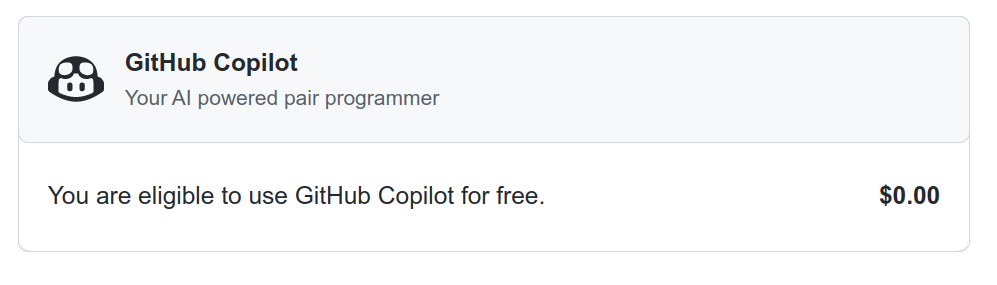
Students and open-source maintainers may get a free GitHub Copilot subscription. If you’re a lucky one, then you’ll see the following information after enabling the service:

GitHub Copilot Billing StatusGitHub Copilot Billing Status

GitHub will verify your status once a year based on proof of academic enrollment, such as a picture of your school ID or an email address in the .edu domain, or your activity in one of the popular open-source repositories.

For detailed instructions on setting up and managing your GitHub subscription, follow the steps in the official documentation. Next up, you’ll learn how to install the GitHub Copilot extension for Visual Studio Code. If you’d prefer to use GitHub Copilot with PyCharm instead, then skip ahead to learn how.

Install a Visual Studio Code Extension

Because Microsoft owns GitHub, it’s no surprise that their Visual Studio Code editor was the first tool to receive GitHub Copilot support. There are a few ways to install extensions in Visual Studio Code, but the quickest one is probably by bringing up the Quick Open panel using Ctrl+P or Cmd+P and then typing the following command:

ext install GitHub.copilot

When you confirm it by pressing Enter, it’ll install the extension and prompt you to reload the editor afterward.

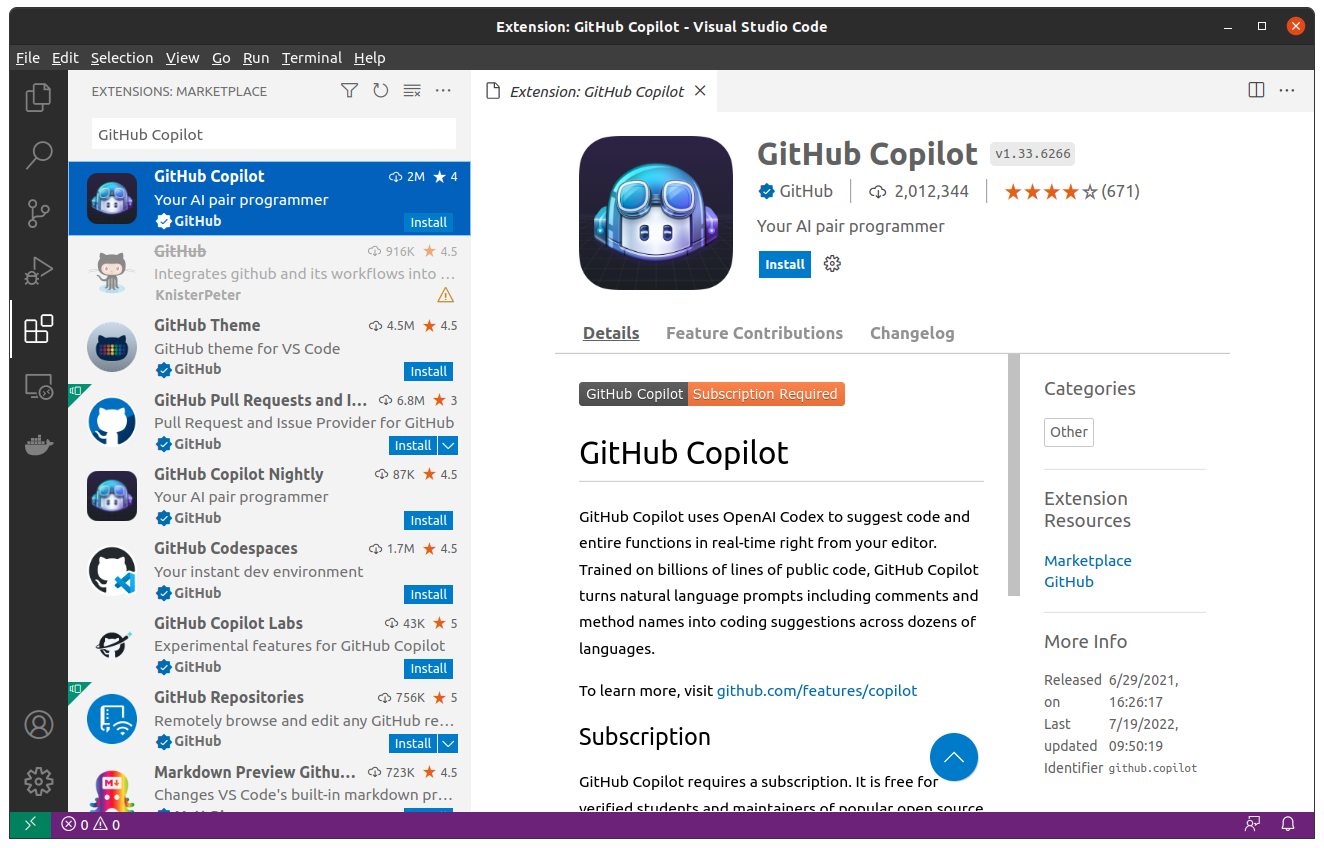
Alternatively, you can find the Extensions icon in the Activity Bar located on the left-hand side of the window and try searching for the GitHub Copilot extension on the Visual Studio Marketplace:

GitHub Copilot Extension for Visual Studio CodeGitHub Copilot Extension for Visual Studio Code

You might also show the Extensions view in Visual Studio Code directly by using a corresponding keyboard shortcut.

After the installation is complete, Visual Studio Code will ask you to sign in to GitHub to give it access to your GitHub profile, which your new extension requires:

Read the full article at https://realpython.com/github-copilot-python/ »


[ Improve Your Python With 🐍 Python Tricks 💌 – Get a short & sweet Python Trick delivered to your inbox every couple of days. >> Click here to learn more and see examples ]

Viewing all 23953 articles
Browse latest View live


Latest Images

<script src="https://jsc.adskeeper.com/r/s/rssing.com.1596347.js" async> </script>