Automating telecommunications networks with Python and SFTP

In telecommunications, the Secure File Transfer Protocol (SFTP) serves as a critical mechanism for secure and reliable file exchange between different network components devices, and systems, whether it is updating configurations, network monitoring, exchanging customer data, or facilitating software updates. Conversely, Python is an ideal tool for the automation of telecommunications networks thanks to its readability and versatility.
Let's dive into how to employ the two effectively and efficiently using the Zato integration and automation platform.
Dashboard
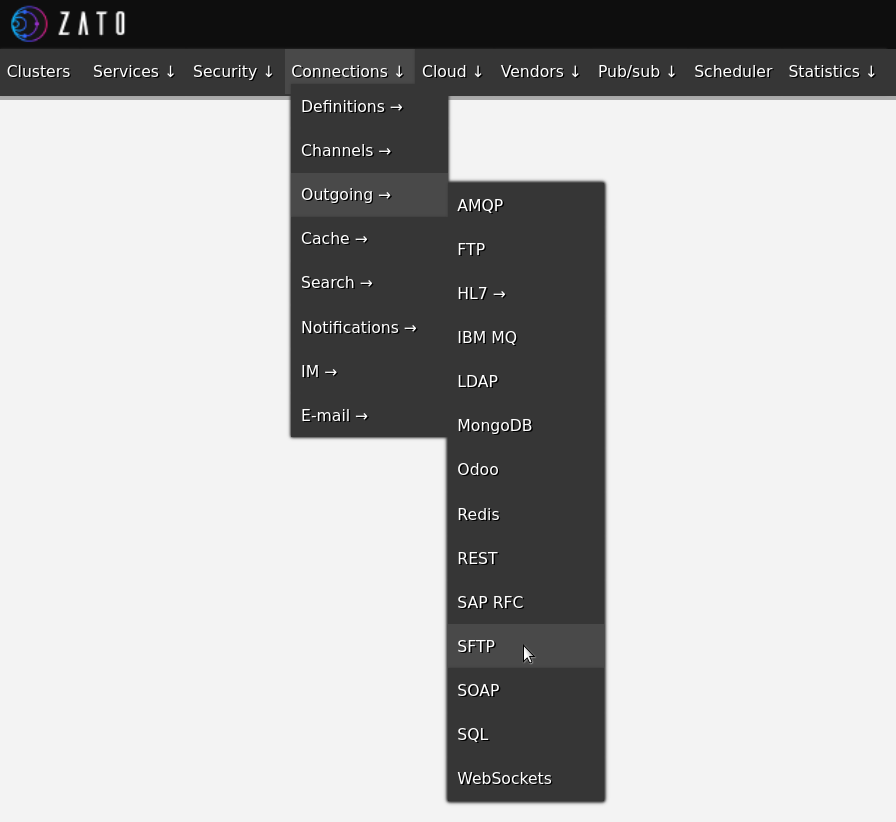
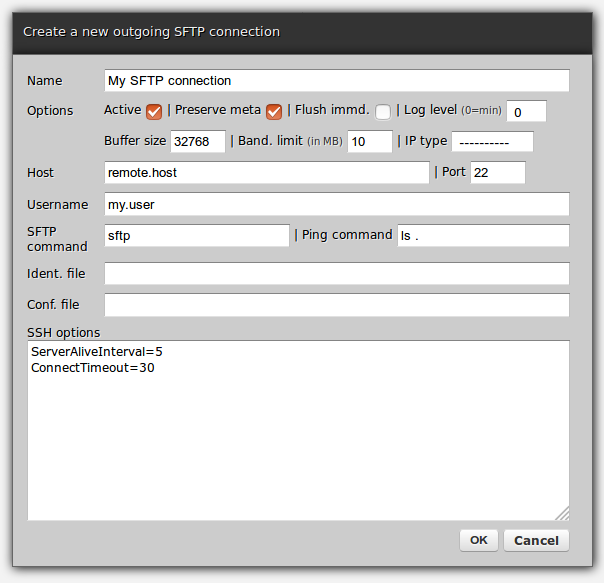
The first step is to define a new SFTP connection in your Dashboard, as in the screenshots below.
The form lets you provide all the default options that apply to each SFTP connection - remote host, what protocol to use, whether file metadata should be preserved during transfer, logging level and other details that you would typically provide.
Simply fill it out with the same details that you would use if it were command line-based SFTP connections.
Pinging
The next thing, right after the creation of a new connection, is to ping it to check if the server is responding.
Pinging opens a new SFTP connection and runs the ping command - in the screenshot above it was ls . - a practically no-op command whose sole purpose is to let the connection confirm that commands in fact can be executed, which proves the correctness of the configuration.
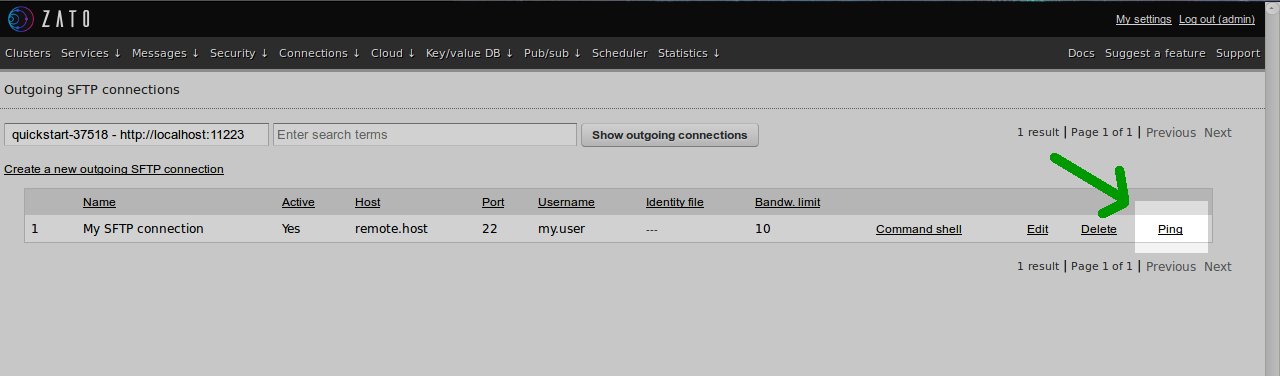
This will either returns details of why a connection could not be established or the response time if it was successful.

Cloud SFTP console
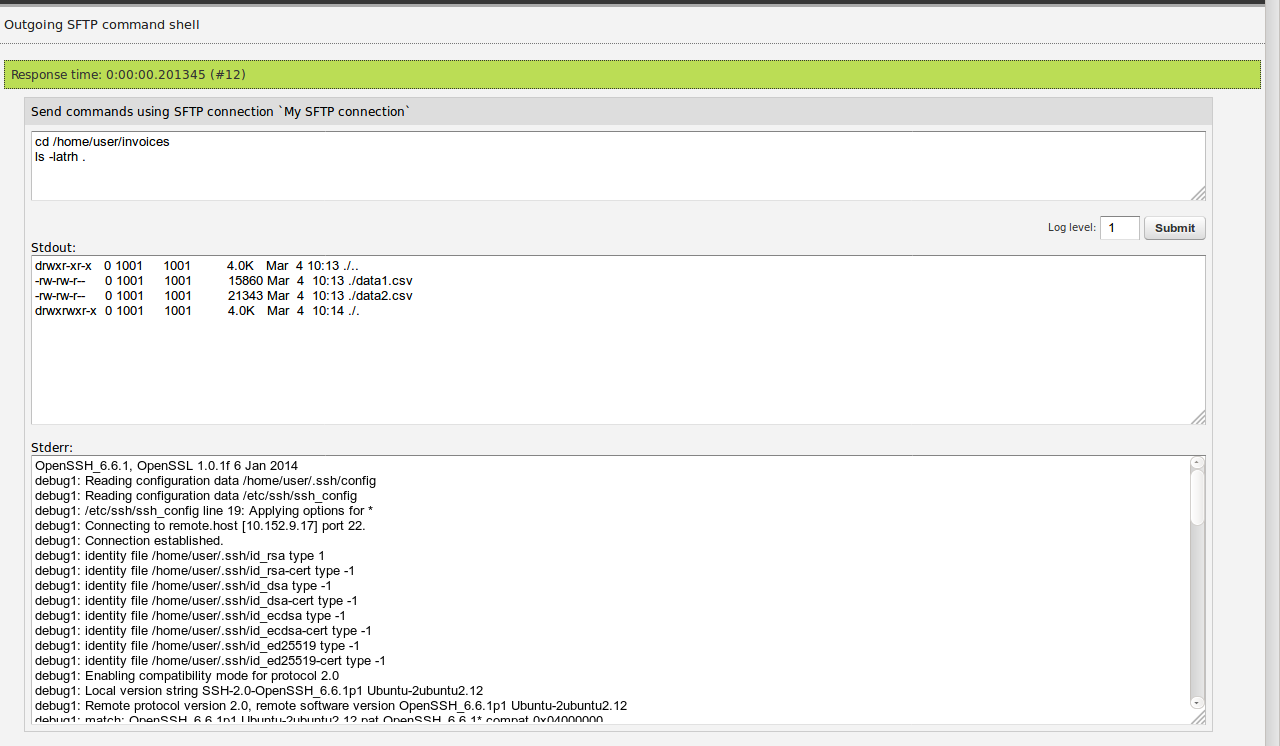
Having validated the configuration by pinging it, we can now execute SFTP commands straight in Dashboard from a command console:
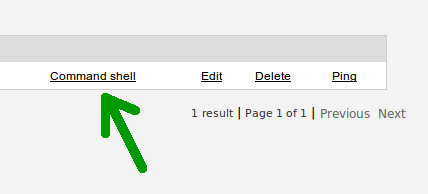
Any SFTP command, or even a series of commands, can be sent and responses retrieved immediately. It is also possible to increase the logging level for additional SFTP protocol-level details.
This makes it possible to rapidly prototype file transfer functionality as a series of scripts that can be next moved as they are to Python-based services.
Python automation
Now, in Python, your API automation services have access to an extensive array of capabilities - from executing transfer commands individually or in batches to the usage of SFTP scripts previously created in your Dashboard.
Here is how Python can be used in practice:
# -*- coding: utf-8 -*-# Zatofromzato.server.serviceimportServiceclassMySFTPService(Service):defhandle(self):# Connection to useconn_name='My SFTP Connection'# Get a handle to the connection objectconn=self.out.sftp[conn_name].conn# Execute an arbitrary script with one or more SFTP commands, like in web-adminmy_script='ls -la /remote/path'conn.execute(my_script)# Ping a remote server to check if it respondsconn.ping()# Download an entry, possibly recursivelyconn.download('/remote/path','/local/path')# Like .download but remote path must point to a file (exception otherwise)conn.download_file('/remote/path','/local/path')# Makes the contents of a remote file available on outputout=conn.read('/remote/path')# Uploads a local file or directory to remote pathconn.upload('/local/path','/remote/path')# Writes input data out to a remote filedata='My data'conn.write(data,'/remote/path')# Create a new directoryconn.create_directory('/path/to/new/directory')# Create a new symlinkconn.create_symlink('/path/to/new/symlink')# Create a new hard-linkconn.create_hardlink('/path/to/new/hardlink')# Delete an entry, possibly recursively, no matter what kind it isconn.delete('/path/to/delete')# Like .delete but path must be a directoryconn.delete_directory('/path/to/delete')# Like .delete but path must be a fileconn.delete_file('/path/to/delete')# Like .delete but path must be a symlinkconn.delete_symlink('/path/to/delete')# Get information about an entry, e.g. modification time, owner, size and moreinfo=conn.get_info('/remote/path')self.logger.info(info.last_modified)self.logger.info(info.owner)self.logger.info(info.size)self.logger.info(info.size_human)self.logger.info(info.permissions_oct)# A boolean flag indicating if path is a directoryresult=conn.is_directory('/remote/path')# A boolean flag indicating if path is a fileresult=conn.is_file('/remote/path')# A boolean flag indicating if path is a symlinkresult=conn.is_symlink('/remote/path')# List contents of a directory - items are in the same format that .get_info usesitems=conn.list('/remote/path')# Move (rename) remote files or directoriesconn.move('/from/path','/to/path')# An alias to .moveconn.rename('/from/path','/to/path')# Change mode of entry at pathconn.chmod('600','/path/to/entry')# Change owner of entry at pathconn.chown('myuser','/path/to/entry')# Change group of entry at pathconn.chgrp('mygroup','/path/to/entry')Summary
Given how important SFTP is in telecommunications, having a convenient and easy way to automate it using Python is an essential ability in a network engineer's skill-set.
Thanks to the SFTP connections in Zato, you can prototype SFTP scripts in Dashboard and employ them in API services right after that. To complement it, a full Python API is available for programmatic access to remote file servers.
Combined, the features make it possible to create scalable and reusable file transfer services in a quick and efficient manner using the most convenient programming language, Python.
More resources
➤ Click here to read more about using Python and Zato in telecommunications
➤ What is a Network Packet Broker? How to automate networks in Python?
➤ What is an integration platform?
➤ Python Integration platform as a Service (iPaaS)
➤ What is an Enterprise Service Bus (ESB)? What is SOA?