Transformers is a powerful Python library created by Hugging Face that allows you to download, manipulate, and run thousands of pretrained, open-source AI models. These models cover multiple tasks across modalities like natural language processing, computer vision, audio, and multimodal learning. Using pretrained open-source models can reduce costs, save the time needed to train models from scratch, and give you more control over the models you deploy.
In this tutorial, you’ll learn how to:
- Navigate the Hugging Face ecosystem
- Download, run, and manipulate models with Transformers
- Speed up model inference with GPUs
Throughout this tutorial, you’ll gain a conceptual understanding of Hugging Face’s AI offerings and learn how to work with the Transformers library through hands-on examples. When you finish, you’ll have the knowledge and tools you need to start using models for your own use cases. Before starting, you’ll benefit from having an intermediate understanding of Python and popular deep learning libraries like pytorch and tensorflow.
Get Your Code:Click here to download the free sample code that shows you how to use Hugging Face Transformers to leverage open-source AI in Python.
Take the Quiz: Test your knowledge with our interactive “Hugging Face Transformers” quiz. You’ll receive a score upon completion to help you track your learning progress:

Interactive Quiz
Hugging Face TransformersIn this quiz, you'll test your understanding of the Hugging Face Transformers library. This library is a popular choice for working with transformer models in natural language processing tasks, computer vision, and other machine learning applications.
The Hugging Face Ecosystem
Before using Transformers, you’ll want to have a solid understanding of the Hugging Face ecosystem. In this first section, you’ll briefly explore everything that Hugging Face offers with a particular emphasis on model cards.
Exploring Hugging Face
Hugging Face is a hub for state-of-the-art AI models. It’s primarily known for its wide range of open-source transformer-based models that excel in natural language processing (NLP), computer vision, and audio tasks. The platform offers several resources and services that cater to developers, researchers, businesses, and anyone interested in exploring AI models for their own use cases.
There’s a lot you can do with Hugging Face, but the primary offerings can be broken down into a few categories:
Models: Hugging Face hosts a vast repository of pretrained AI models that are readily accessible and highly customizable. This repository is called the Model Hub, and it hosts models covering a wide range of tasks, including text classification, text generation, translation, summarization, speech recognition, image classification, and more. The platform is community-driven and allows users to contribute their own models, which facilitates a diverse and ever-growing selection.
Datasets: Hugging Face has a library of thousands of datasets that you can use to train, benchmark, and enhance your models. These range from small-scale benchmarks to massive, real-world datasets that encompass a variety of domains, such as text, image, and audio data. Like the Model Hub, 🤗 Datasets supports community contributions and provides the tools you need to search, download, and use data in your machine learning projects.
Spaces: Spaces allows you to deploy and share machine learning applications directly on the Hugging Face website. This service supports a variety of frameworks and interfaces, including Streamlit, Gradio, and Jupyter notebooks. It is particularly useful for showcasing model capabilities, hosting interactive demos, or for educational purposes, as it allows you to interact with models in real time.
Paid offerings: Hugging Face also offers several paid services for enterprises and advanced users. These include the Pro Account, the Enterprise Hub, and Inference Endpoints. These solutions offer private model hosting, advanced collaboration tools, and dedicated support to help organizations scale their AI operations effectively.
These resources empower you to accelerate your AI projects and encourage collaboration and innovation within the community. Whether you’re a novice looking to experiment with pretrained models, or an enterprise seeking robust AI solutions, Hugging Face offers tools and platforms that cater to a wide range of needs.
This tutorial focuses on Transformers, a Python library that lets you run just about any model in the Model Hub. Before using transformers, you’ll need to understand what model cards are, and that’s what you’ll do next.
Understanding Model Cards
Model cards are the core components of the Model Hub, and you’ll need to understand how to search and read them to use models in Transformers. Model cards are nothing more than files that accompany each model to provide useful information. You can search for the model card you’re looking for on the Models page:
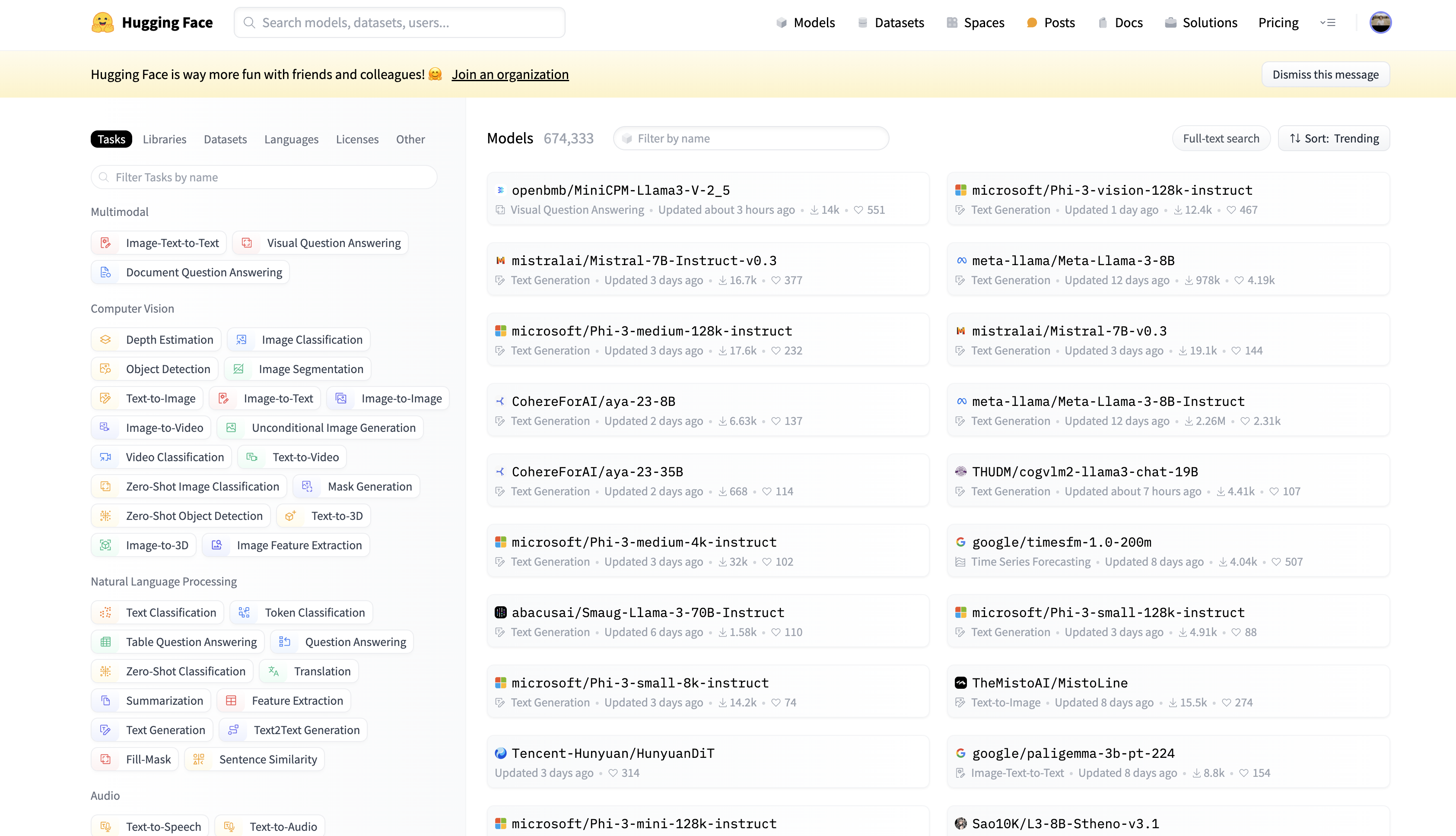 Hugging Face Models page
On the left side of the Models page, you can search for model cards based on the task you’re interested in. For example, if you’re interested in zero-shot text classification, you can click the Zero-Shot Classification button under the Natural Language Processing section:
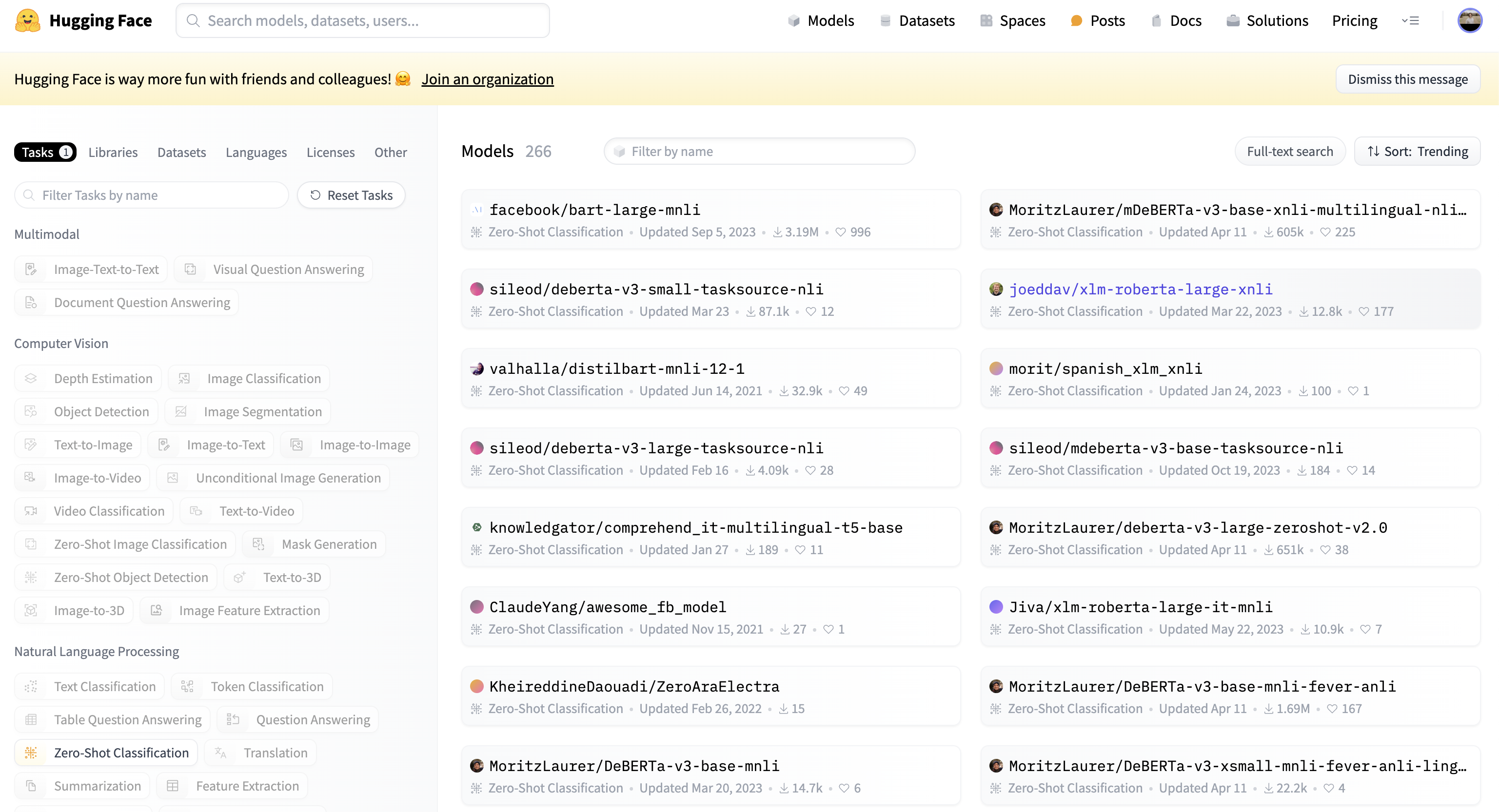 Hugging Face Models page filtered for zero-shot text classification models
In this search, you can see 266 different zero-shot text classification models, which is a paradigm where language models assign labels to text without explicit training or seeing any examples. In the upper-right corner, you can sort the search results based on model likes, downloads, creation dates, updated dates, and popularity trends.
Each model card button tells you the model’s task, when it was last updated, and how many downloads and likes it has. When you click a model card button, say the one for the facebook/bart-large-mnli model, the model card will open and display all of the model’s information:
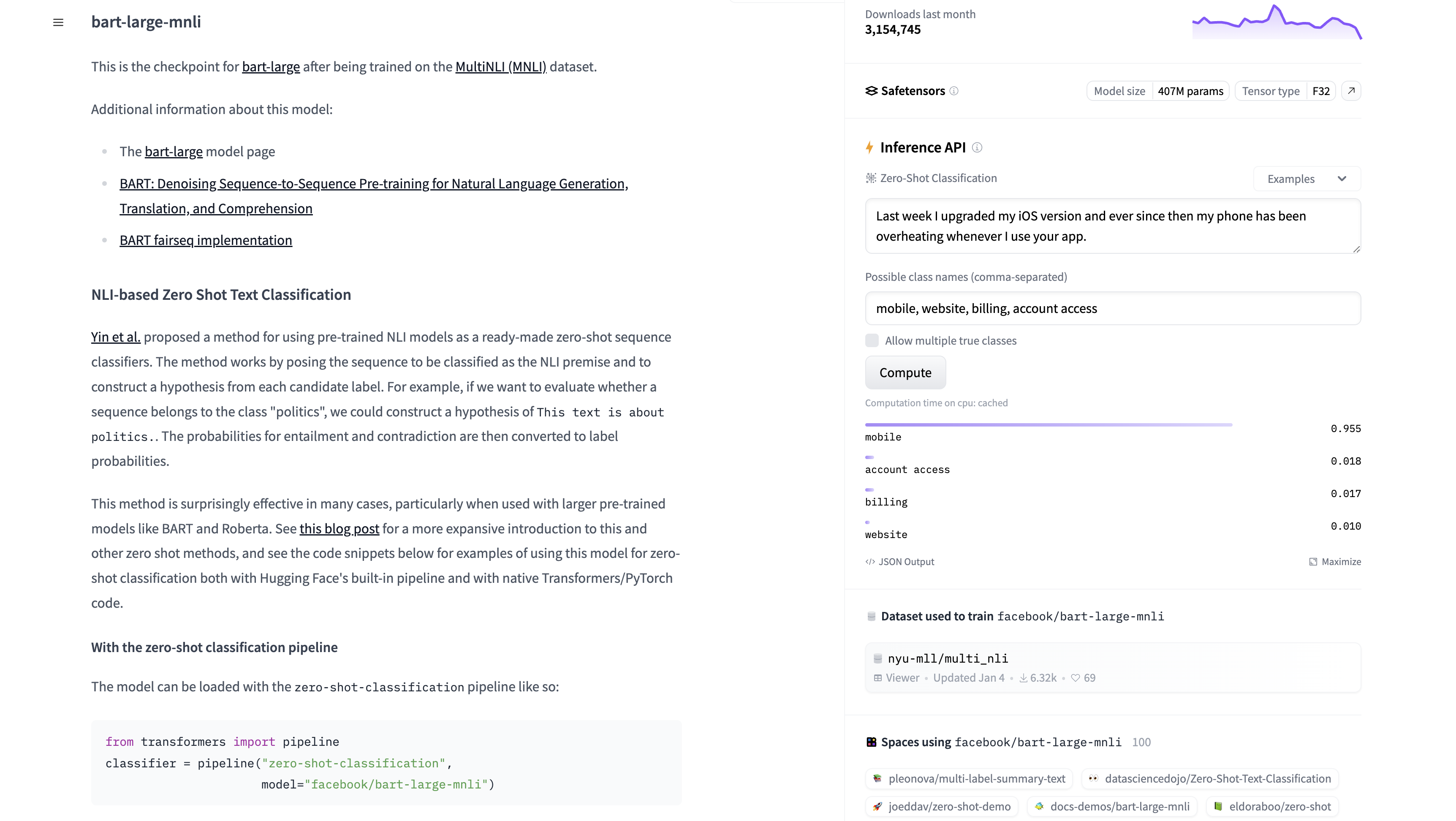 A Hugging Face model card
Even though a model card can display just about anything, Hugging Face has outlined the information that a good model card should provide. This includes detailed information about the model, its uses and limitations, the training parameters and experiment details, the dataset used to train the model, and the model’s evaluation performance.
A high-quality model card also includes metadata such as the model’s license, references to the training data, and links to research papers that describe the model in detail. In some model cards, you’ll also get to tinker with a deployed instance of the model via the Inference API. You can see an example of this in the facebook/bart-large-mnli model card:
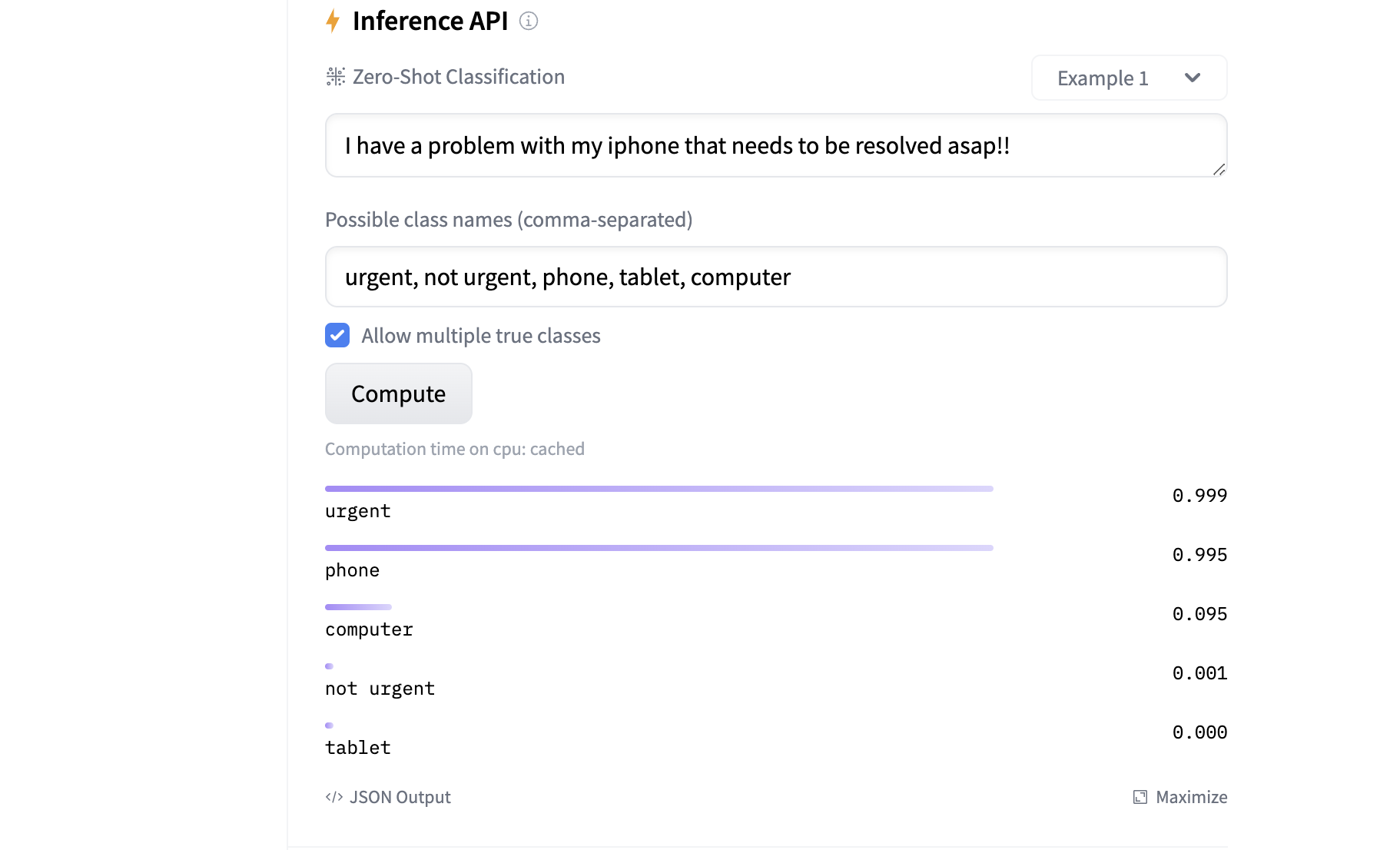 Tinker with Hugging Face models using the Inference API
Read the full article at https://realpython.com/huggingface-transformers/ »
[ Improve Your Python With 🐍 Python Tricks 💌 – Get a short & sweet Python Trick delivered to your inbox every couple of days. >> Click here to learn more and see examples ]