As unfortunately my old fancy sound lights setup only works on Linux, it stopped working after I switched to a new laptop. So I decided to make a cross-platform solution.
TLDR:Source code of the desktop app, ESP8266 “firmware”, a jupyter notebook with a preresearch and a video of sound lights in action (the best my phone can do):
Lights colors from audio
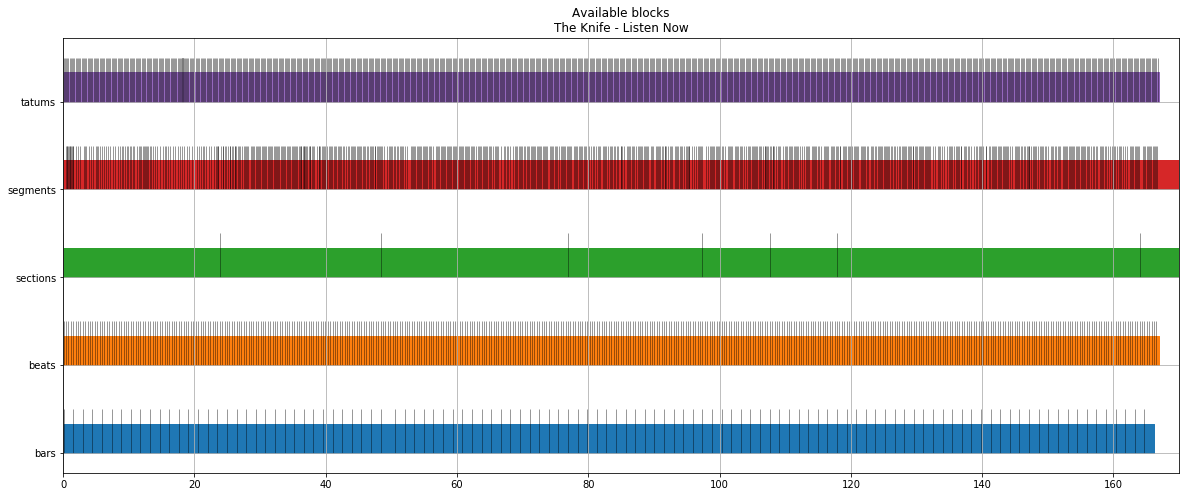
Apparently, it’s not so easy to capture and analyze audio stream from a random music app on macOS, so I chose a bit of vendor locked solution with a precalculated track analysis from Spotify API. The API provides a bunch of differently sized intervals with characteristics like loudness, mode and etc:
By trial and error and some random changes, I came up with a function that returns a list of tuples representing RGB colors. It’s not something fancy or at least correct, but can produce different colors and works fast enough:
defget_current_colors(t):segment=get_current_segmnet(t)section=get_current_section(t)beat=get_current_beat(t)beat_color=BASE_COLOR_MULTIPLIER*(t-beat['start']+beat['duration'])/beat['duration']tempo_color=BASE_COLOR_MULTIPLIER*scale_tempo(section['tempo'])pitch_colors=[BASE_COLOR_MULTIPLIER*pforpinsegment['pitches']]loudness_multiplier=1+LOUDNESS_MULTIPLIER*scale_loudness(section['loudness'])colors=((beat_color*loudness_multiplier,tempo_color*loudness_multiplier,pitch_colors[n//(leds//12)]*loudness_multiplier)forninrange(leds))ifsection['mode']==0:order=(0,1,2)elifsection['mode']==1:order=(1,2,0)else:order=(2,0,1)ordered_colors=((color[order[0]],color[order[1]],color[order[2]])forcolorincolors)return[_scale_pixel(color)forcolorinordered_colors]To ensure that it works I ran it on a bunch of songs with a 60 “LEDs” column for an each second:
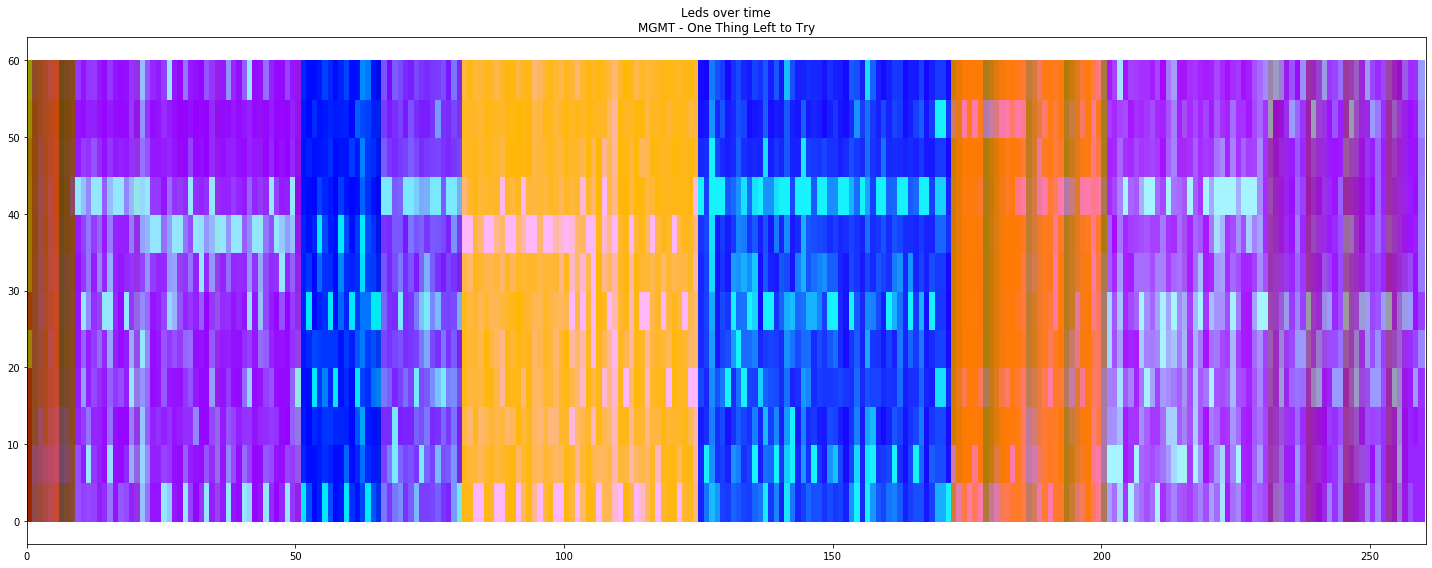
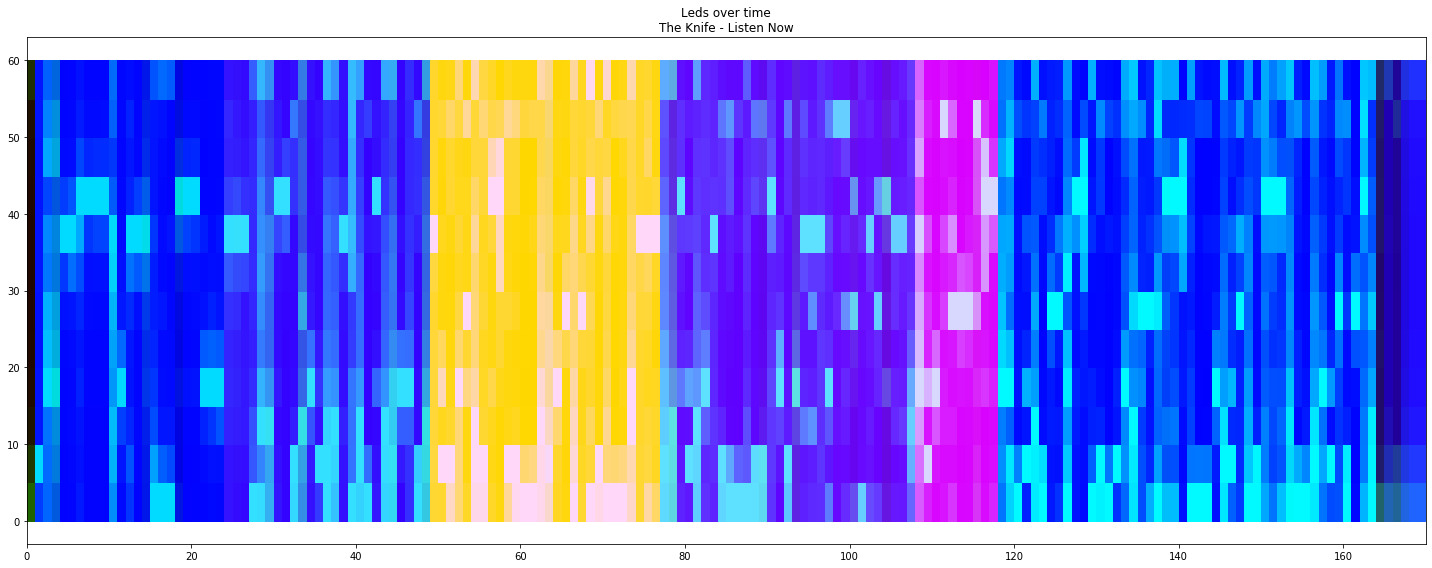
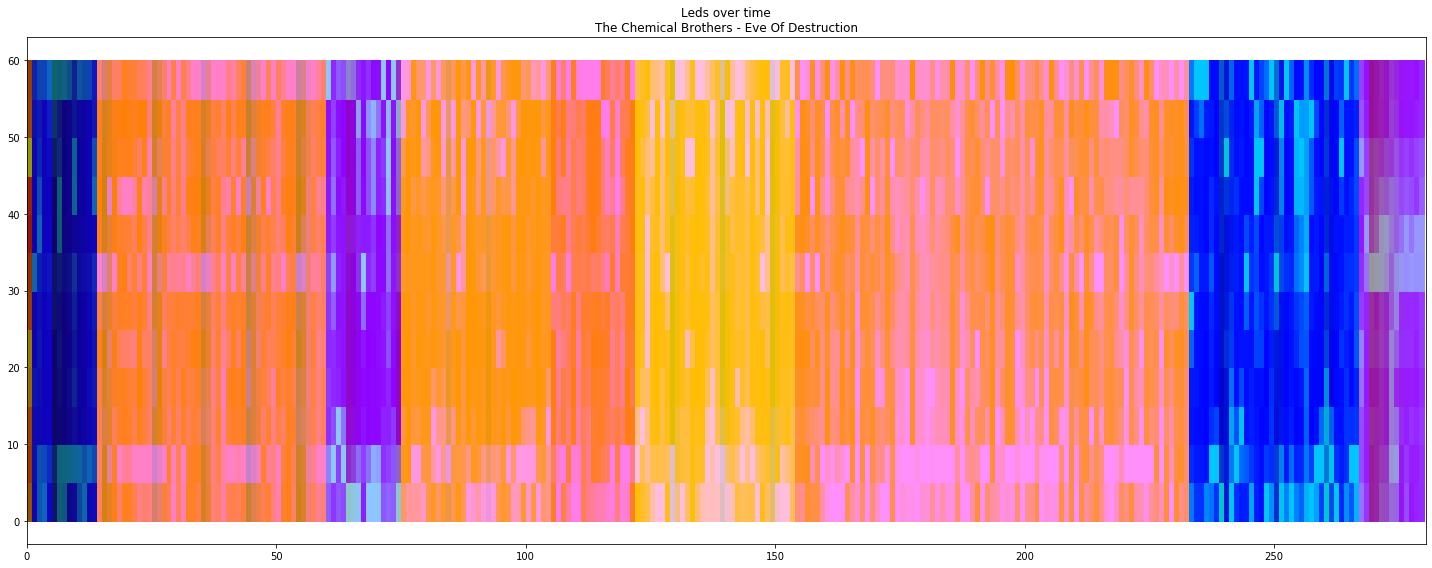
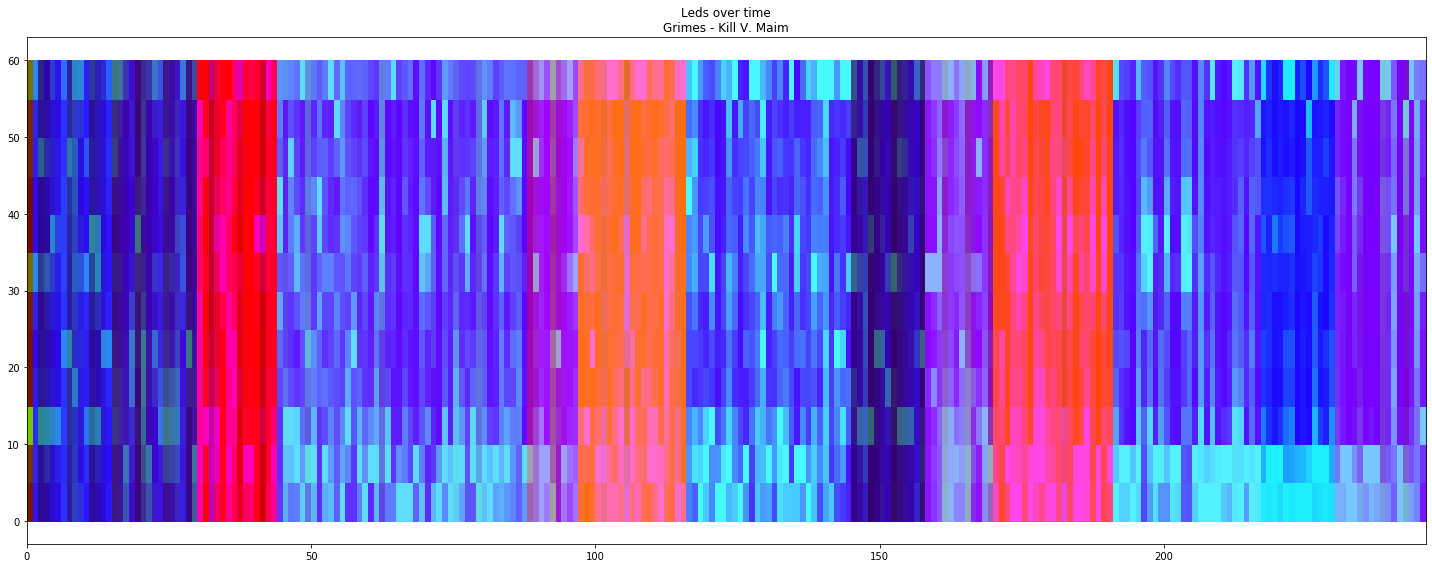
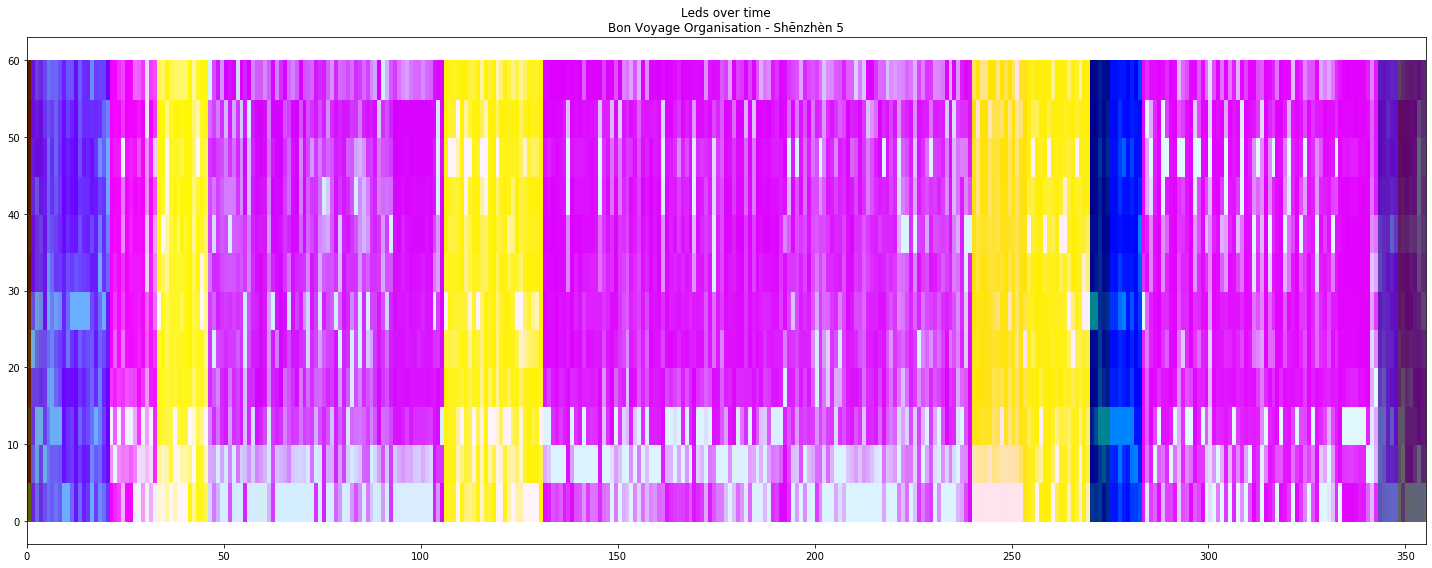
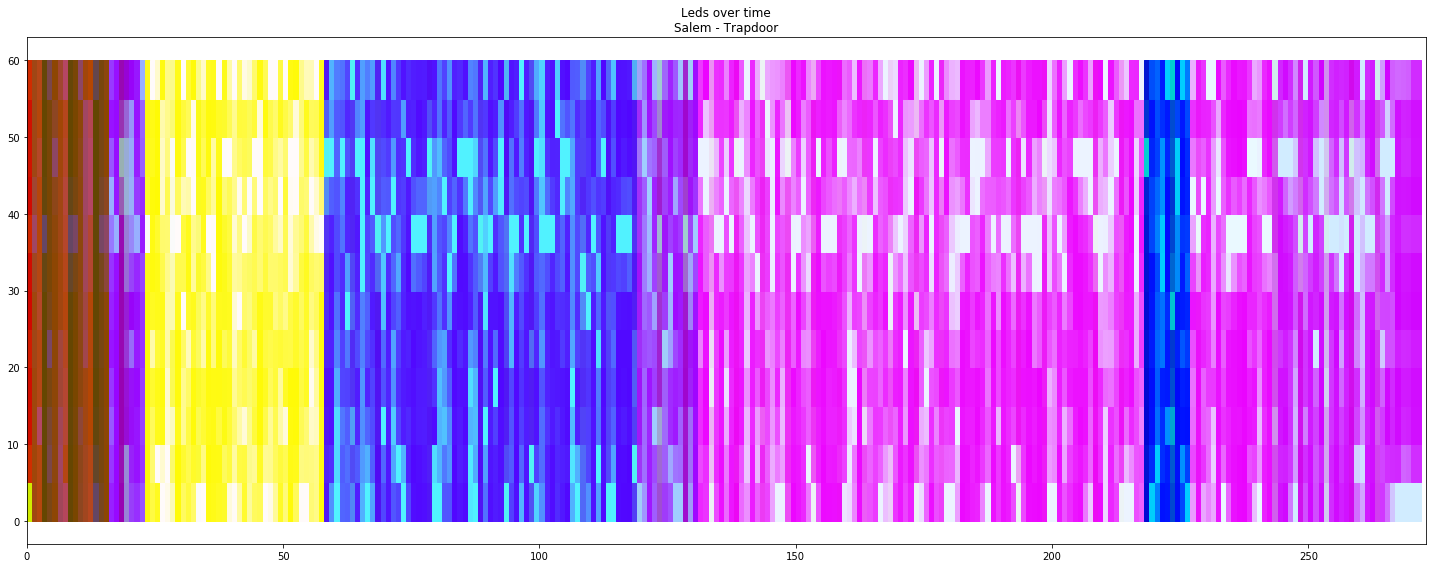
It looks different enough and not that ugly for different songs and different parts of songs.
The full jupyter notebook available in the gist.
Led strip and EPS8266
The EPS8266 part is really easy, it listens UDP on 42424, waits for 180 bytes and changes colors of 60 LEDs strip with NeoPixels MicroPython library:
np=neopixel.NeoPixel(machine.Pin(5),60)sock=socket.socket(socket.AF_INET,socket.SOCK_DGRAM)sock.bind(('',42424))whileTrue:line,_=sock.recvfrom(180)iflen(line)<180:continueforiinrange(60):np[i]=(line[i*3],line[i*3+1],line[i*3+2])np.write()Controlling it from a computer is also very easy:
sock=socket.socket(socket.AF_INET,socket.SOCK_DGRAM)sock.setsockopt(socket.SOL_SOCKET,socket.SO_REUSEADDR,1)sock.setsockopt(socket.SOL_SOCKET,socket.SO_BROADCAST,1)defsend(pixels):colors=[colorforpixelinpixelsforcolorinpixel]line=array.array('B',colors).tostring()sock.sendto(line,('192.168.2.255',42424))And it even works:
send([(50,0,0)]*60)
send([(0,0,50)]*60)
send([(50,50,50)]*5+[(50,0,0)]*10+[(50,50,0)]*10+[(0,50,0)]*10+[(0,50,50)]*10+[(0,0,50)]*10+[(50,50,50)]*5)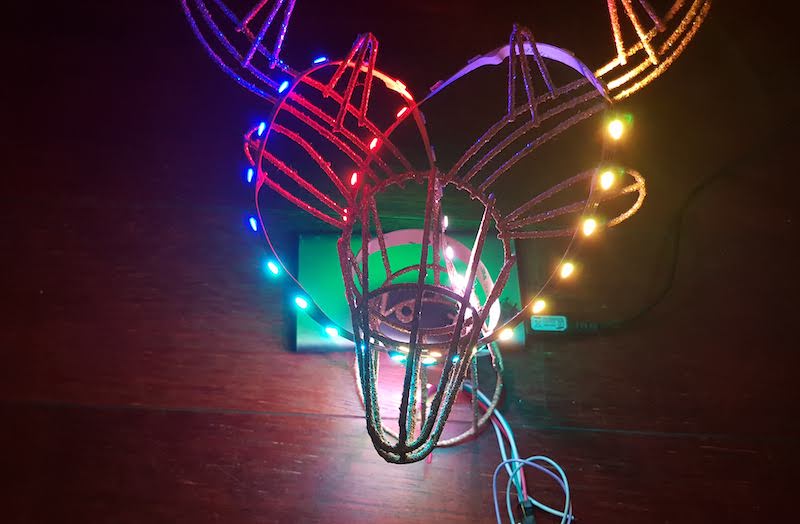
The full source code is simple and available in the gist.
The app that connects everything
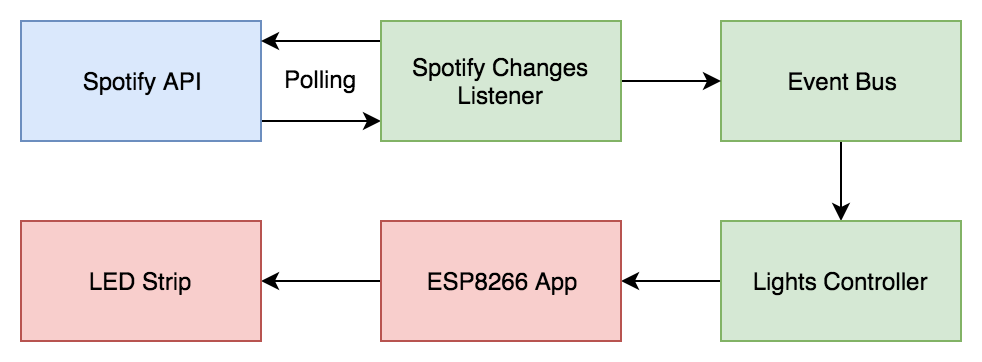
The app is fairly simple and essentially consists of two asyncio coroutines and a queue as a messaging bus.
The first coroutine calls Spotify API current playing endpoint, fetches audio analysis when the current playing song changes and produces three events:
EventStop– nothing is playing;EventSongChanged(analysis, start_time)– song changed;EventAdjustStartTime(start_time)– sync song start time in case of discrepancies or manual changes.
asyncdef_listen_to_spotify_changes(session:aiohttp.ClientSession)->AsyncIterable[Event]:current_id=NonewhileTrue:request_time=time.time()current=await_get_current_playing(session)ifnotcurrent['is_playing']:current_id=NoneyieldEventStop()elifcurrent['item']['id']!=current_id:current_id=current['item']['id']analysis=await_get_audio_analysis(session,current_id)yieldEventSongChanged(analysis,_get_start_time(current,request_time))else:yieldEventAdjustStartTime(_get_start_time(current,request_time))awaitasyncio.sleep(SPOTIFY_CHANGES_LISTENER_DEALY)asyncdefspotify_changes_listener(user_id:str,client_id:str,client_secret:str,events_queue:asyncio.Queue[Event])->NoReturn:whileTrue:...asyncwithaiohttp.ClientSession(headers=headers)assession:try:asyncforeventin_listen_to_spotify_changes(session):awaitevents_queue.put(event)exceptException:logging.exception('Something went wrong with spotify_changes_listener')awaitasyncio.sleep(SPOTIFY_CHANGES_LISTENER_FAILURE_DELAY)The second coroutine listens to those events and sends packets to ESP8266:
asyncdeflights_controller(device_ip:str,device_port:int,leds:int,events_queue:asyncio.Queue[Event])->NoReturn:whileTrue:send_to_device=awaitmake_send_to_device(device_ip,device_port)try:asyncforcolorsin_events_to_colors(leds,events_queue):send_to_device(colors)exceptException:logging.exception("Something went wrong with lights_controller")awaitasyncio.sleep(CONTROLLER_ERROR_DELAY)Full source code is a bit boring and available in the gist, to use it you will need to define some required environment variables.
The result
It works, kind of reusable and even looks a bit nice in real life, but not so nice when recorded on my phone: